Next you define the number of packages on the consignment and the packaging and weight of each one. This is done by selecting Packaging from the top menu and completing the resulting page.
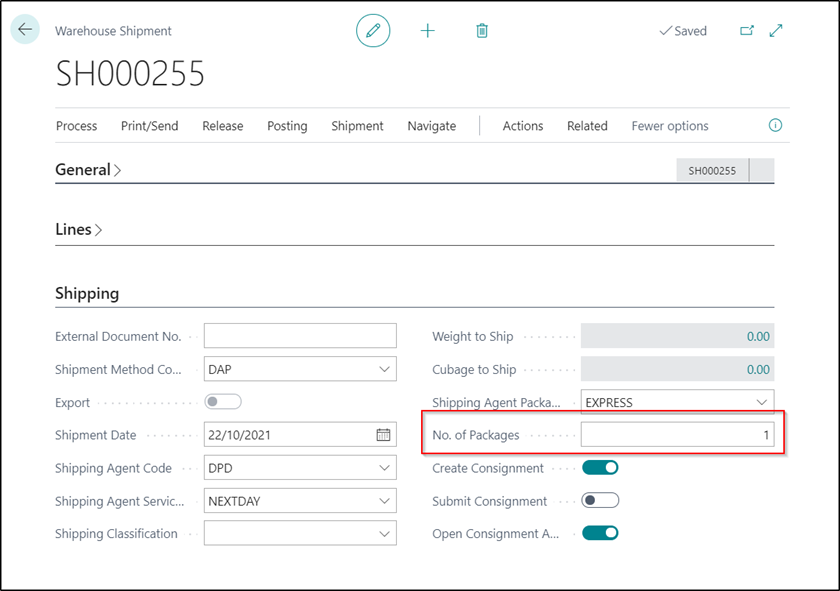
Note: when creating a Consignment from a Warehouse Shipment, if you have set the No. of Packages’ to 1 then the Package Weight field will be calculated automatically for you. It is calculated by taking the total weight of all items within the Consignment and also weight of the packaging.
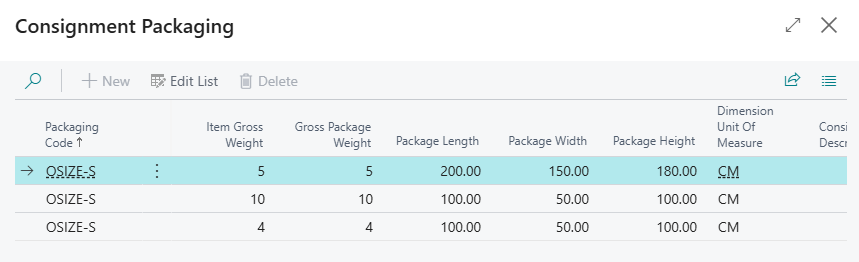
For the likes of Pallex who allow for Oversized Pallets as a Packaging Code, each consignment may have different pallet sizes. Due to this, you are able to edit the package dimensions on the Warehouse Shipment as well as the Consignment before it is submitted. You can still state default values initially but overtype them with the true sizes once known.
Note: There are still size restrictions for Oversized Pallets but it will allow a User to enter dimensions larger than standard sizes and allow for each Packaging line to have differing package sizes.