Where Clever Credit is installed, Issued Reminders can be created automatically for overdue accounts.
With the help of Clever Document Delivery, these can be emailed automatically too.
First, ensure you have everything set up within the "Overdue Level Setup Card" in Clever Credit and tick which Overdue Level Codes require a Reminder created by ticking the Issue Reminder.
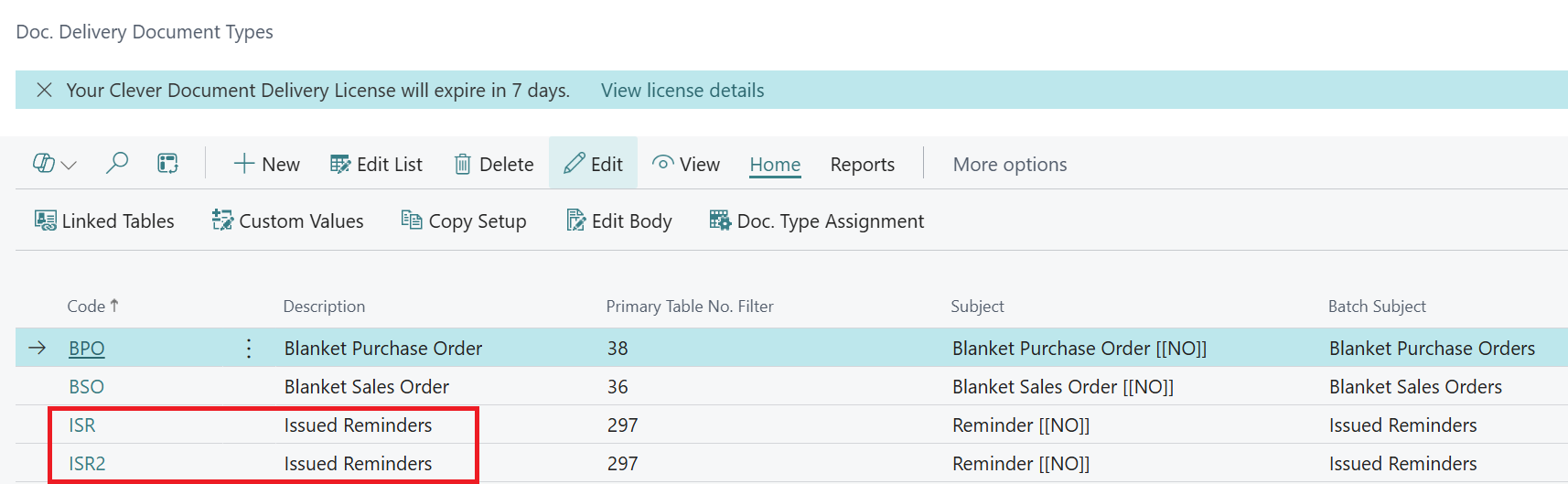
If you want Business Central to also email these, the boolean for Send Email via Doc Delivery must be ticked. Next, you can determine which Doc Delivery Doc Type will be issued in this instance. In the example below, I have 2 different ones.

This is because I have 2 different Issued Reminder Doc Types set up in the "Doc Delivery Document Types".
When the automation is ran via the Job queue, not only will the Issued Reminder be created (as part of Clever Credit), but the Issued Reminder will also be emailed, along with any attachments from the "Doc Delivery Document Type" card and corresponding email body.