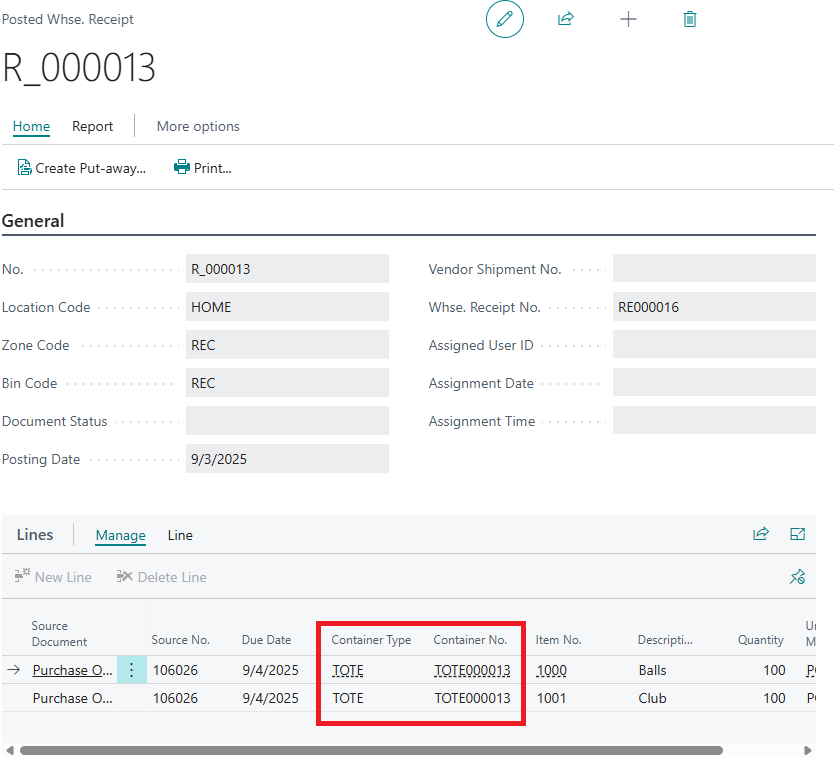
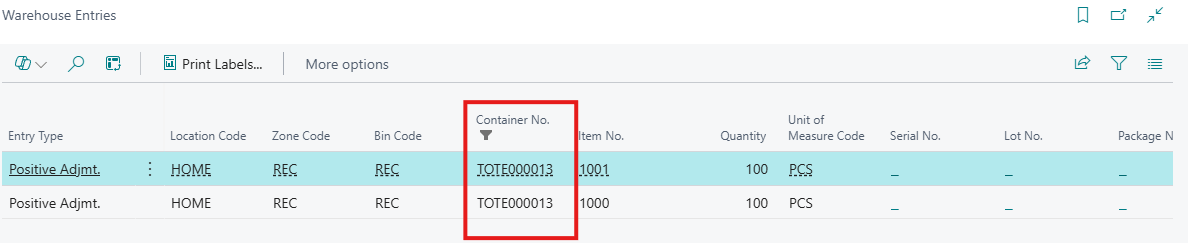
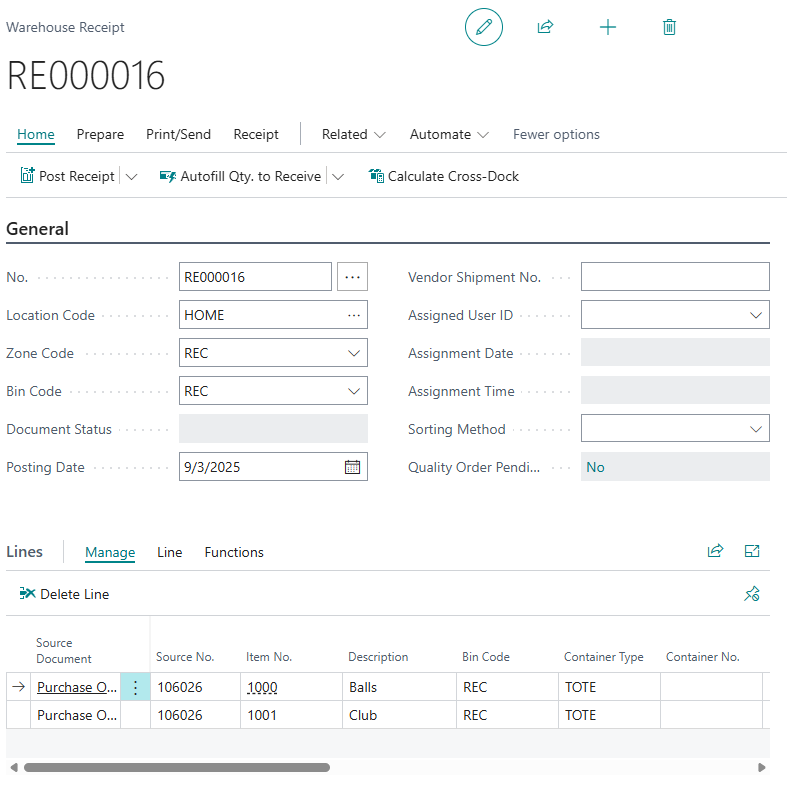
Two new Fields have been added to Warehouse Receipt Lines to allow you to define the Container detail that the items will be stored in.
The Container detail used for items being received into the Warehouse can either be added at the Warehouse Receipt stage and then the details will be automatically copied across onto the Warehouse Put-Away document when it is created (if they are being used) or it can just be entered onto the Warehouse Put-Away document directly.
|
Container Type |
This Field should be used to define the required Container Type for that item. It will be automatically populated with the default option defined against the Item Card if it has been completed. |
|
Container No. |
You can drilldown on this Field to select an existing Container or to create a new Container where required. You can also leave this Field blank and then when the Warehouse Receipt is posted, new Containers will be automatically created for you using the Container Type defined. The filters that will be applied to the list of Containers that are currently displayed when you drilldown on this field are as below:
|
Drilling down on the container number will open the containers screen, you will see the below options now available.

| +New | Create a new container of the Container Type selected. |
| Manage | View, Edit or Delete the selected container |
| Create New Container | Create a new container of the Container Type selected. |
| Contents | Review Items already in the currently selected container. |
| Comments | View or add new comments to the currently selected container. |
Once the Warehouse Receipt is posted, the Container Card will be automatically updated to reflect which items are now stored within it as well as the Location and Bin information. In the Details pane you will also see the Container Measurements have been updated, and a visual representation of the container will show how full the container is. Below this you will see Lot and Serial number information registered against the items should these be populated.
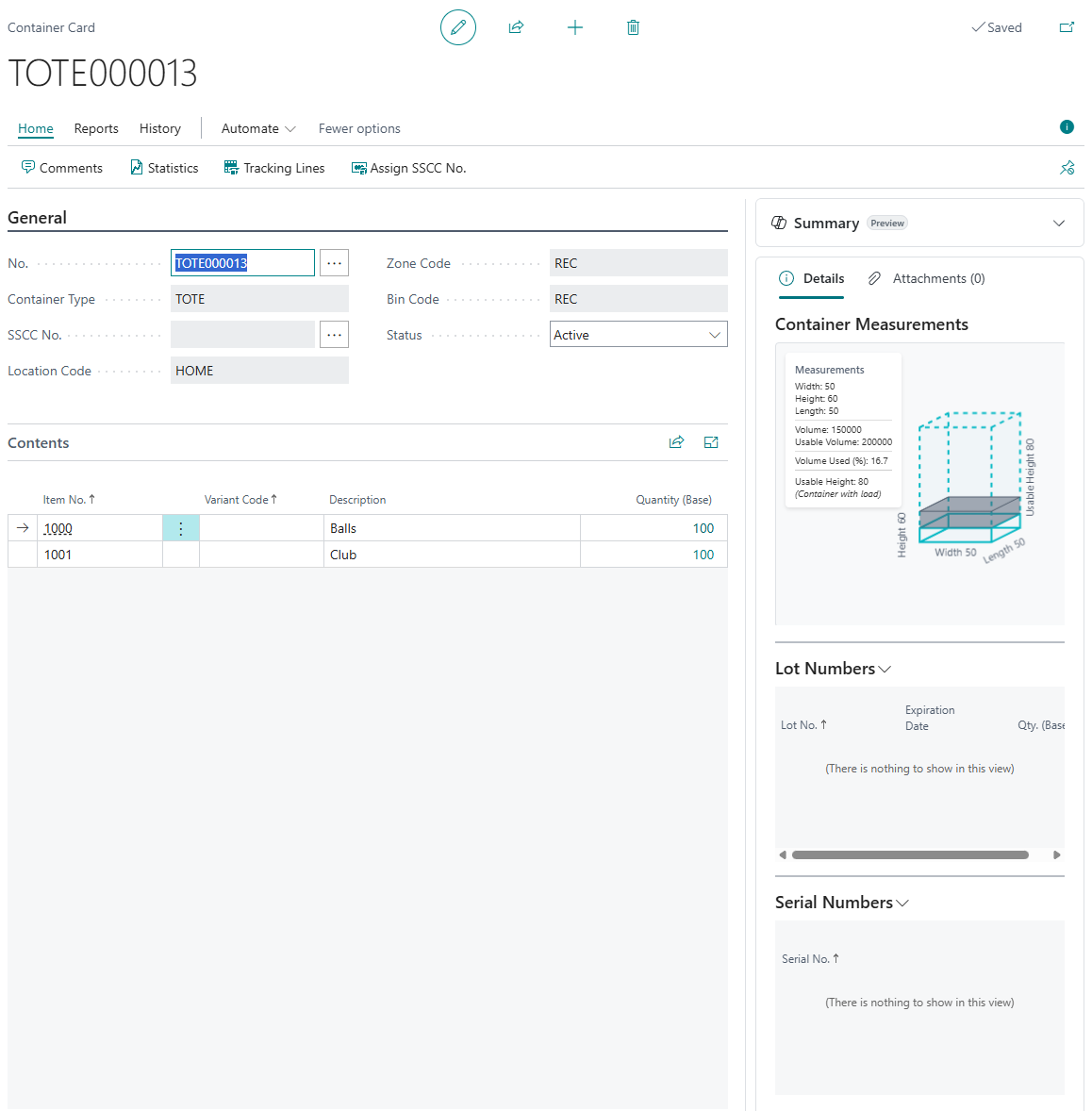
Container Entries will also have been registered.

In addition, the Container details will also be recorded against the Posted Warehouse Receipt Lines and the related Warehouse Entries that are created.