Convert Specific Quote Lines to Order allows users to control which items from a Quote are included when converting to an Order.
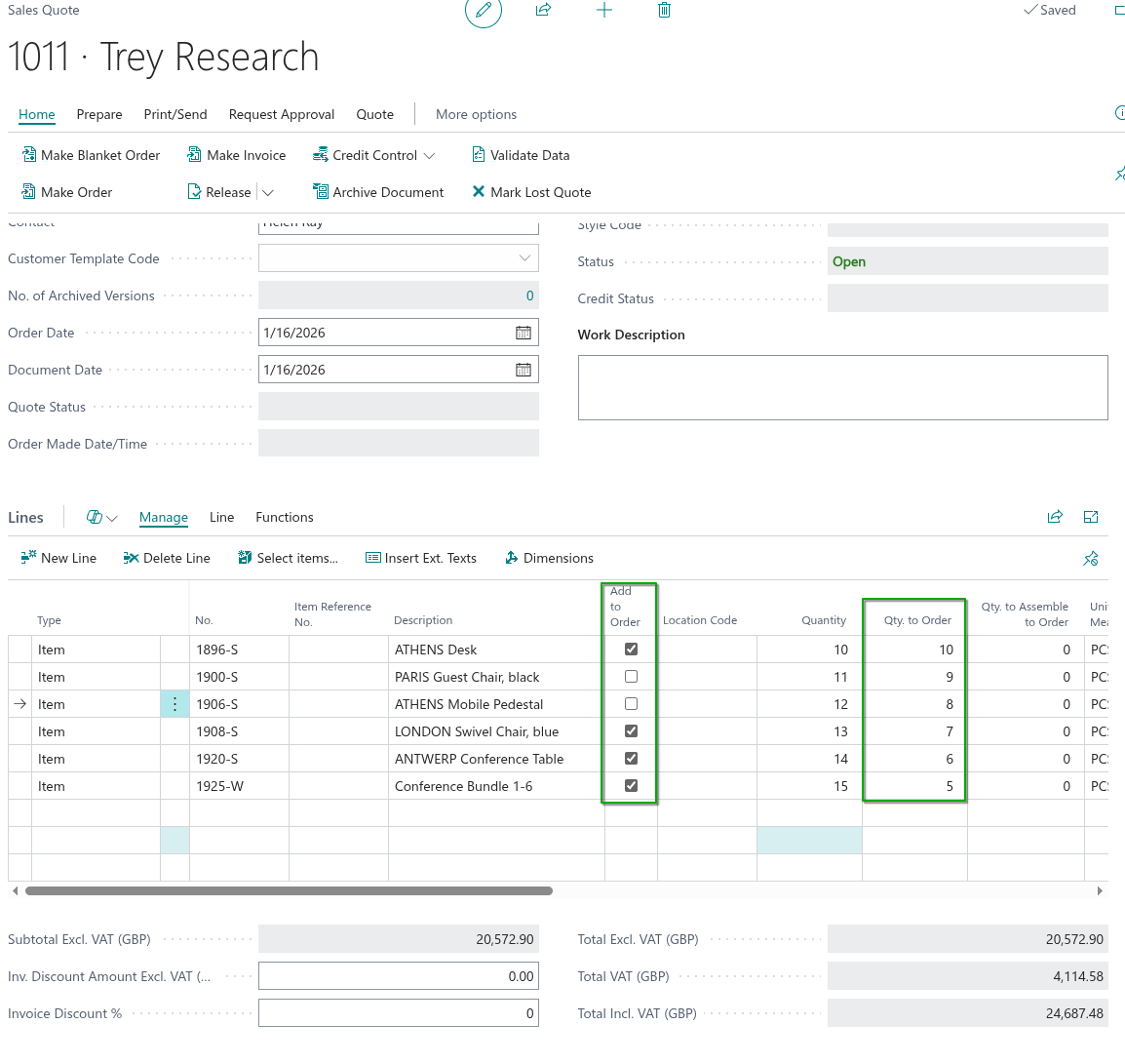
A new Add to Order field has been added to the Quote Lines on both Sales Quotes and Purchase Quotes. This field defaults to True, meaning all lines will normally be included in the conversion.
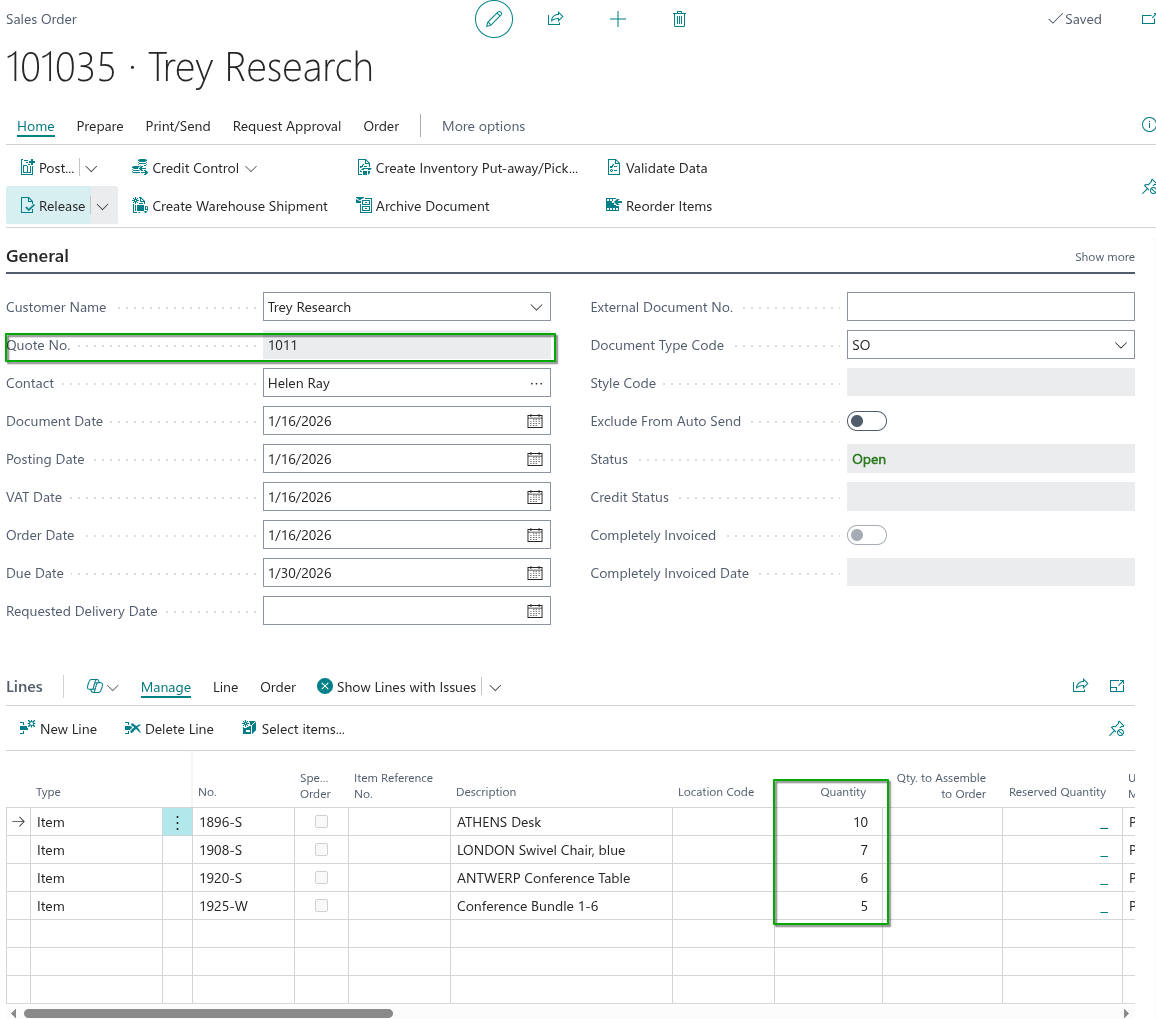
When the Make Order action is selected, the system will only process Quote Lines where Add to Order is set to True.
Lines where Add to Order is set to False will remain on the original Quote and will not be converted into an Order.
This provides flexibility for handling partial conversions without requiring manual deletion of lines.
Quantity to Convert from Quote
Quantity to Convert from Quote allows users to specify whether the full or partial quantity from a Quote Line should be converted into an Order.
A new Qty. to Order field has been added to the Quote Lines on both Sales Quotes and Purchase Quotes. This field defaults to the original Quantity on the Quote Line.
Before running the Make Order action, the user can adjust the Qty. to Order value.
When the Quote is converted, the system uses this value to create the corresponding Sales or Purchase Order line.
This provides flexibility for handling partial fulfilment without editing the original Quote quantity.
Quantity Already Ordered from Quote
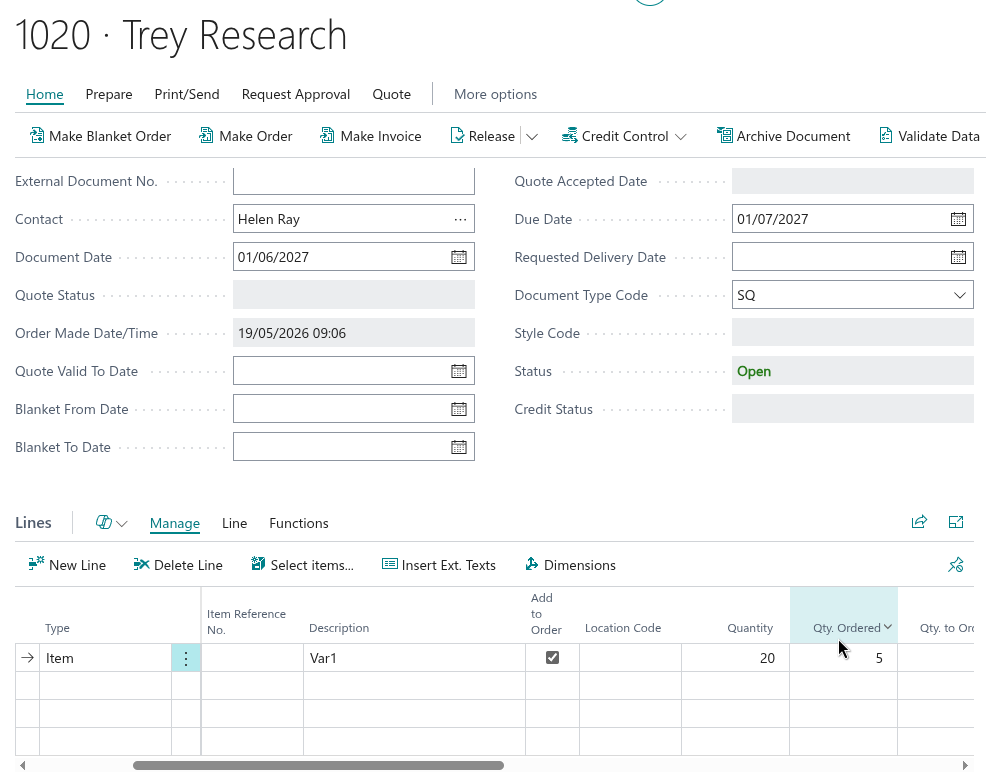
When a quote line is partially converted using Qty. to Order, the Qty. Ordered field on the quote line records the cumulative total of all quantities already converted into Sales Orders from that line. This field is read-only and is updated automatically each time a conversion takes place.
This allows Users to reopen a quote at a later point and immediately see how much of the original quoted quantity has already been committed to orders, and how much remains available to convert.
Behaviour when updating Quantity
If the Quantity on a quote line is changed after a partial conversion has already taken place, the following rules apply:
If Quantity is increased, the Qty. to Order field will automatically recalculate to reflect the new remaining quantity available to convert (Qty. to Order = Quantity − Qty. Ordered).
If Quantity is decreased to a value below the current Qty. Ordered, the system will display an error and prevent the change, as it is not possible to reduce the quoted quantity below what has already been converted into orders.
The Qty. to Order field will also display an error if a User attempts to enter a value greater than the remaining quantity available to convert (Quantity − Qty. Ordered), ensuring that no more than the available balance can be converted at any one time.
Viewing the Orders created from a Quote
Once a Quote has been converted, it is often useful to be able to get straight to the resulting document - particularly where a Quote has been converted in stages using Qty. to Order, and more than one Order exists.
A View Linked Orders action is available on both the "Sales Quote" screen and the "Sales Quotes" screen, promoted to the Process group of the menu ribbon.

Choosing View Linked Orders finds every Sales Order and Blanket Sales Order that was created from the Quote and behaves as follows.
| One linked document exists | The document is opened directly - the "Sales Order" screen for an Order, or the "Blanket Sales Order" screen for a Blanket Order. |
| More than one linked document exists | A "Sales List" screen is opened showing all of the Orders and Blanket Orders created from the Quote, from which you can open any of them. |
| No linked document exists | The message "No linked orders or blanket orders were found for this quote." is displayed. |
The action is only enabled once at least one Order or Blanket Order has been made from the Quote.
Note: the link is based on the standard Business Central Quote No. field that is stamped onto the Order or Blanket Order when it is created from the Quote. Orders created manually and not converted from the Quote will not appear.
Quote Status and conversion details
Two additional read-only fields are available on the "Sales Quote" screen to show the conversion position at a glance.
| Quote Status | Specifies the status of the Quote. Where the Quote Status is Converted or Lost, the Make Order, Make Blanket Order and Make Invoice actions are disabled to prevent the Quote being converted again. |
| Order Made Date/Time | Specifies the date and time when the Quote was converted to an Order. |
Used together with Qty. Ordered on the lines, these fields let you retain the Quote as a record of the original negotiation while still being able to see exactly what was committed, when, and on which document.