When selecting the Adjust button on the Packing Portal, the below Page will then be displayed. From here, the Packing Operators can complete the following actions:
-
Remove Items from the Packing Order
-
Remove Packages from the Packing Order
-
Move Items between the Packages on the Packing Order
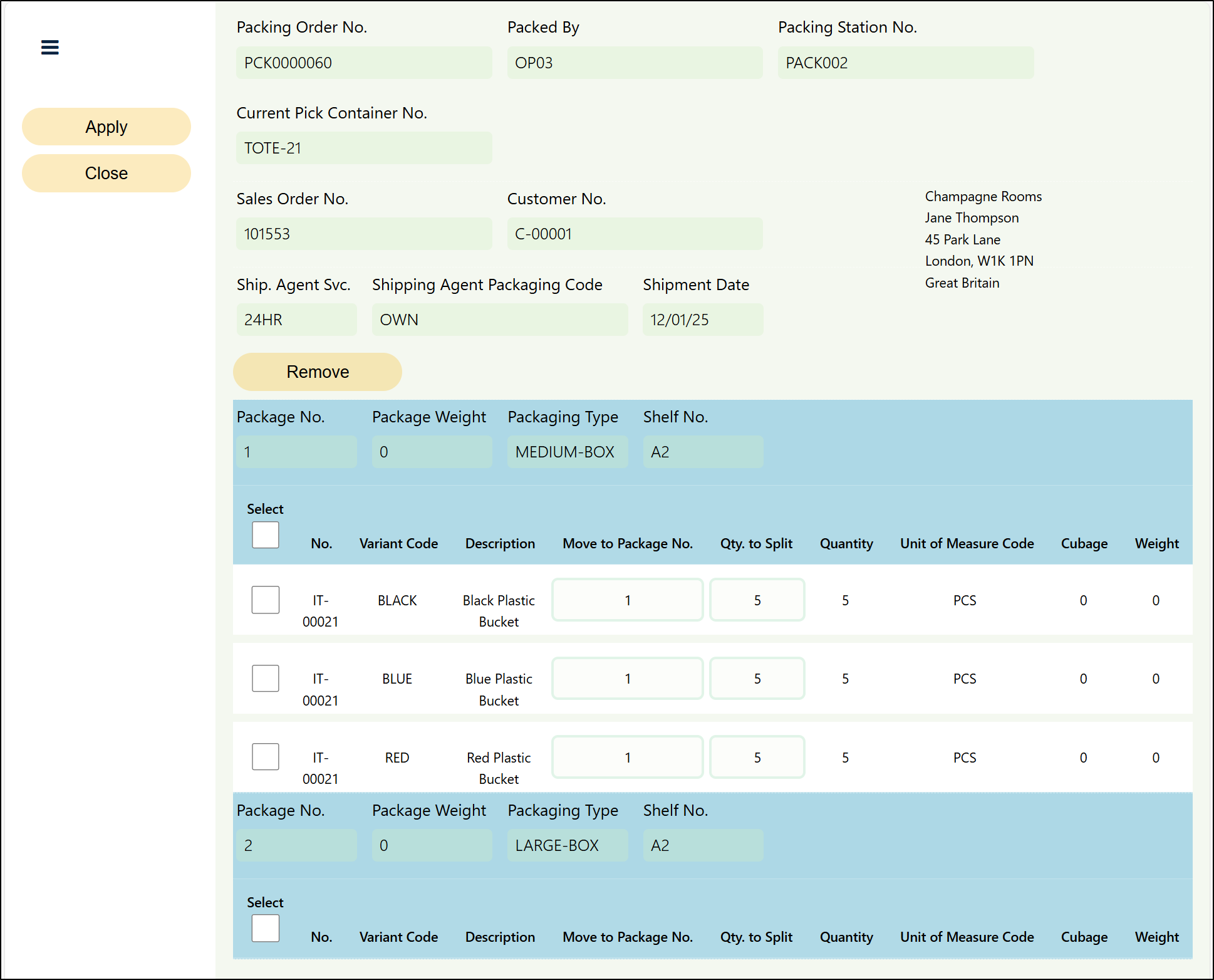
Remove Items or Packages from the Packing Order:
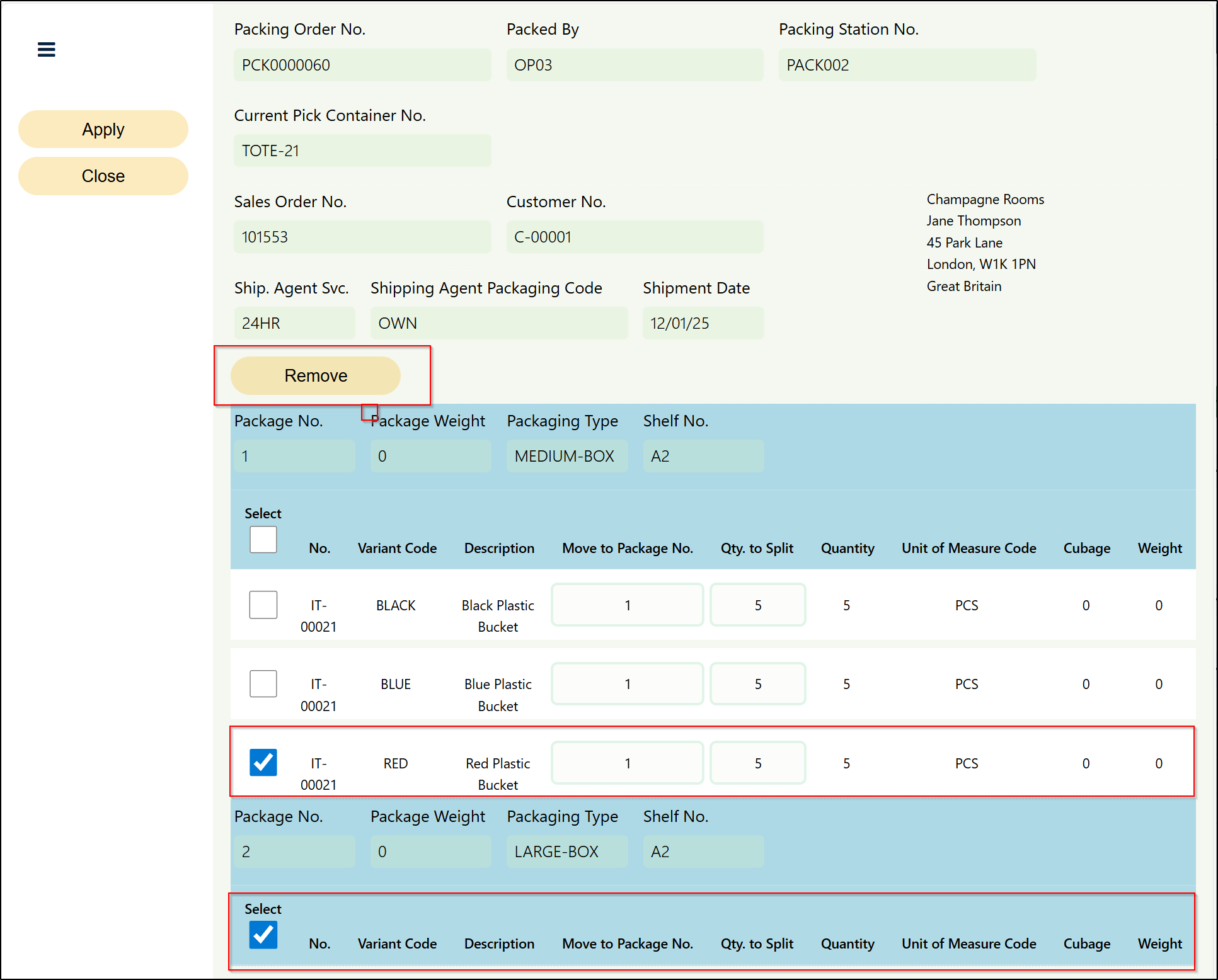
To remove Items or Packages from the Packing Order, the Packing Operator should tick the Select box against the relevant entry and then click the Remove button.
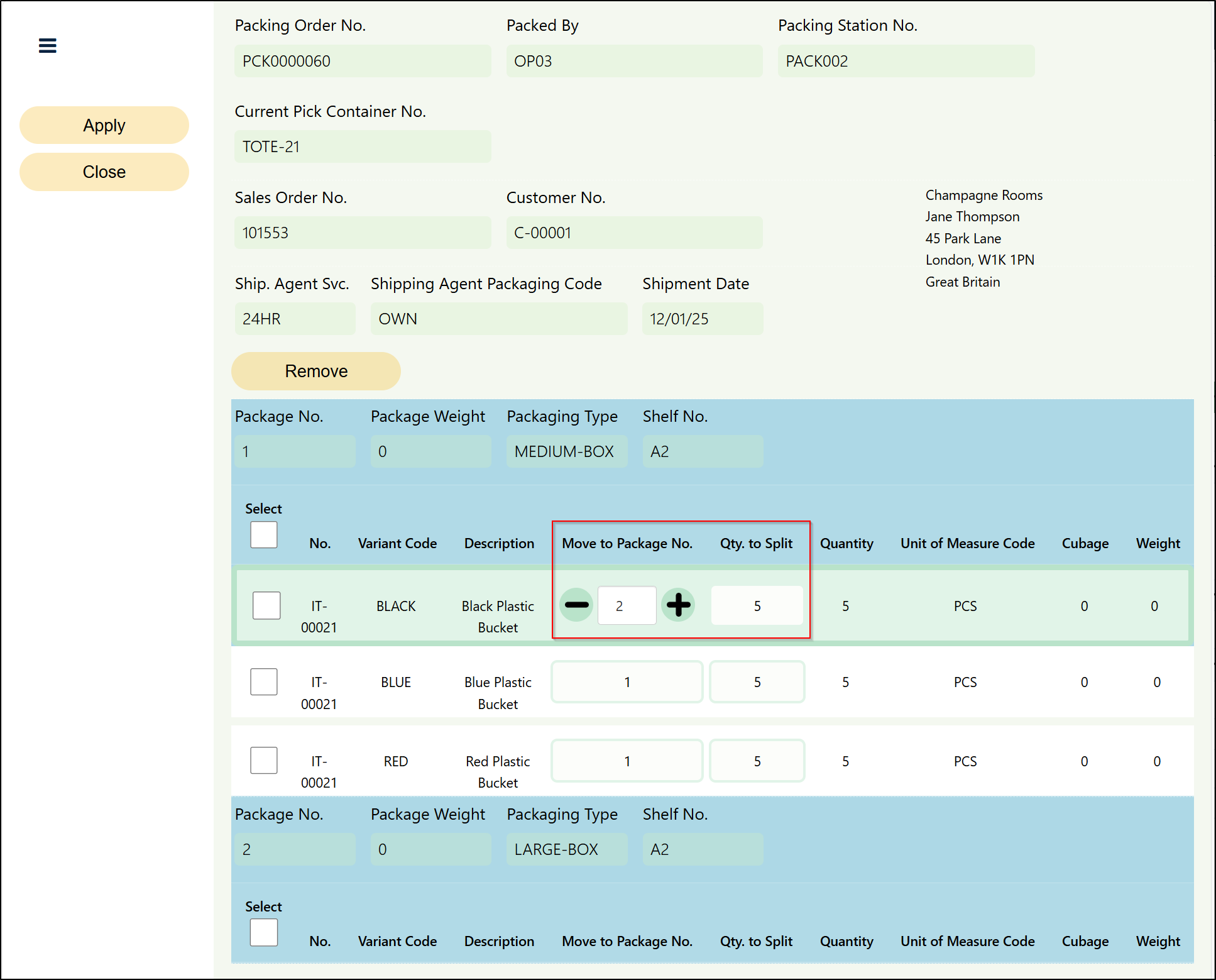
Moving Items between Packages on the Packing Order:
To move Items between Packages on the Packing Order, the Packing Operator should click on the Move to Package No. Field and then select the required Package No.
The Packing Operator should then click on the Apply button in order to complete the move.
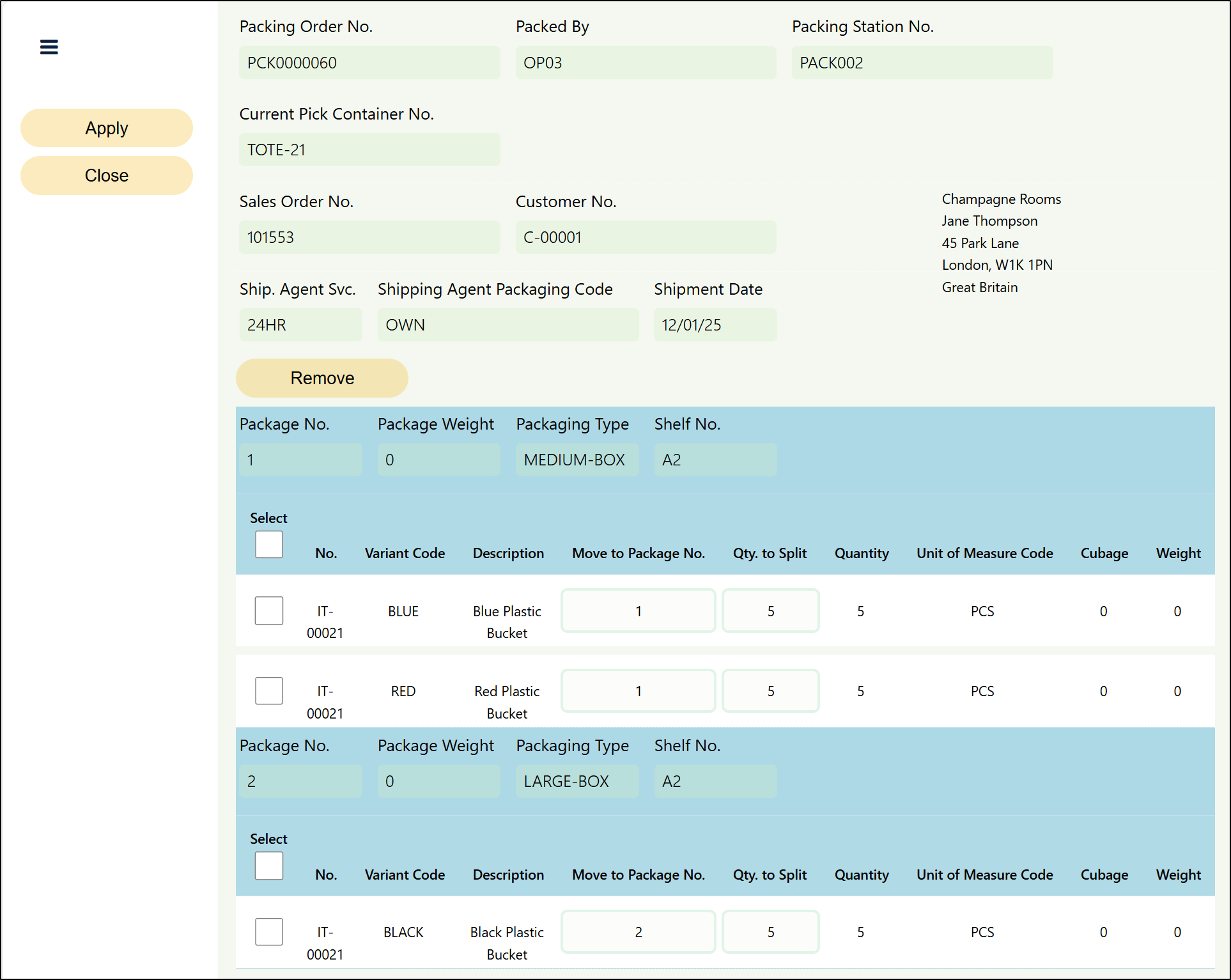
If the Packing Operator only wants to move a partial quantity of an item to another Package, then they should follow exactly the same process described above, in order to select the required Package, but then add the extra step of populating the Qty to Split Field to reflect the quantity they want to move.