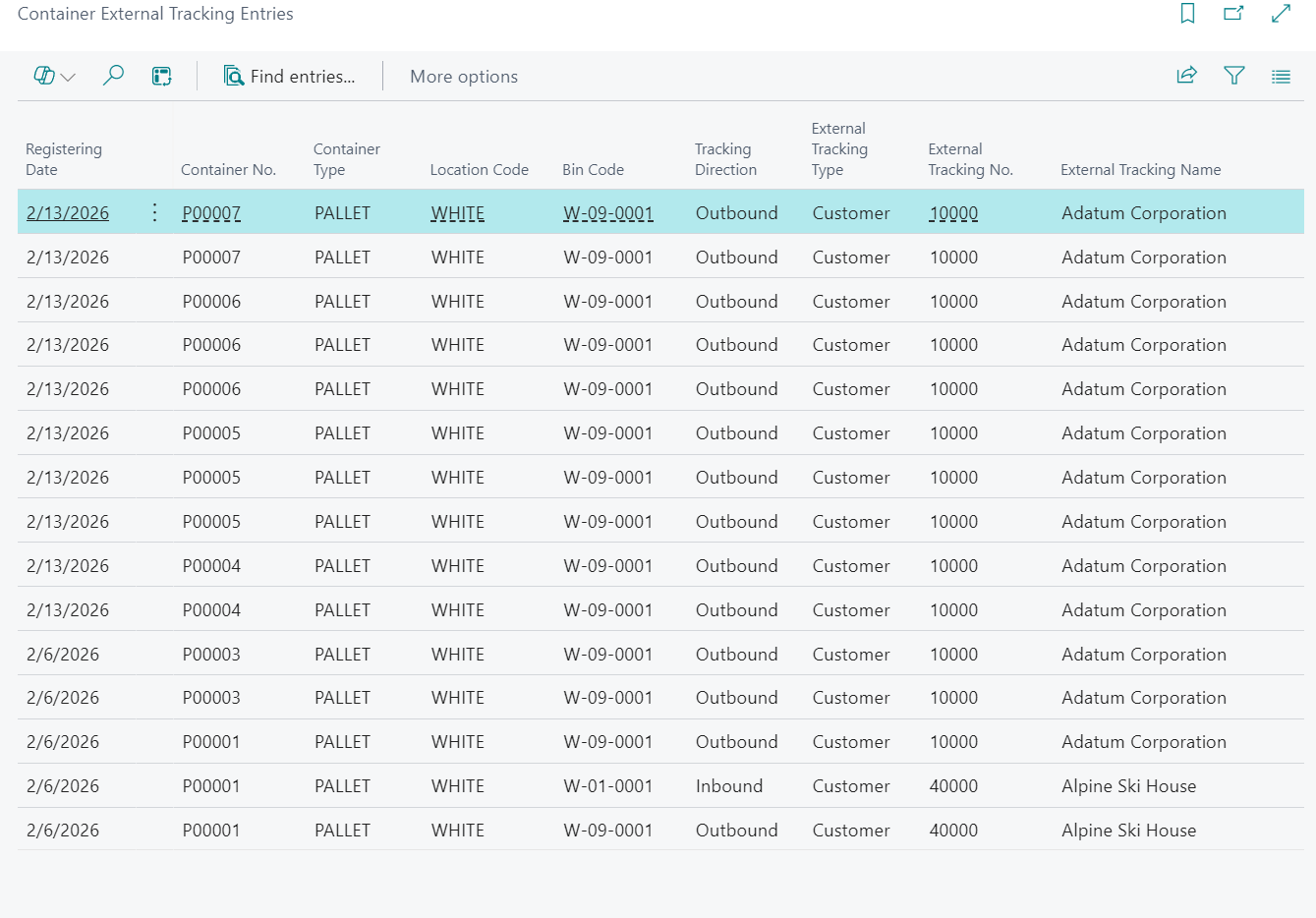
Use the "Container External Tracking Entries" screen to review the history of container movements to and from external parties.
Open and review external tracking history
Open the "Container External Tracking Entries" screen to view posted external tracking transactions.
Review key fields such as Posting Date, Container No., Container Type, Location Code, Bin Code, Tracking Direction, External Tracking Type, External Tracking No., External Tracking Name, Source Document, Source No., and Document No..
Typical values for Tracking Direction are Inbound and Outbound. Typical values for External Tracking Type are Customer and Vendor.
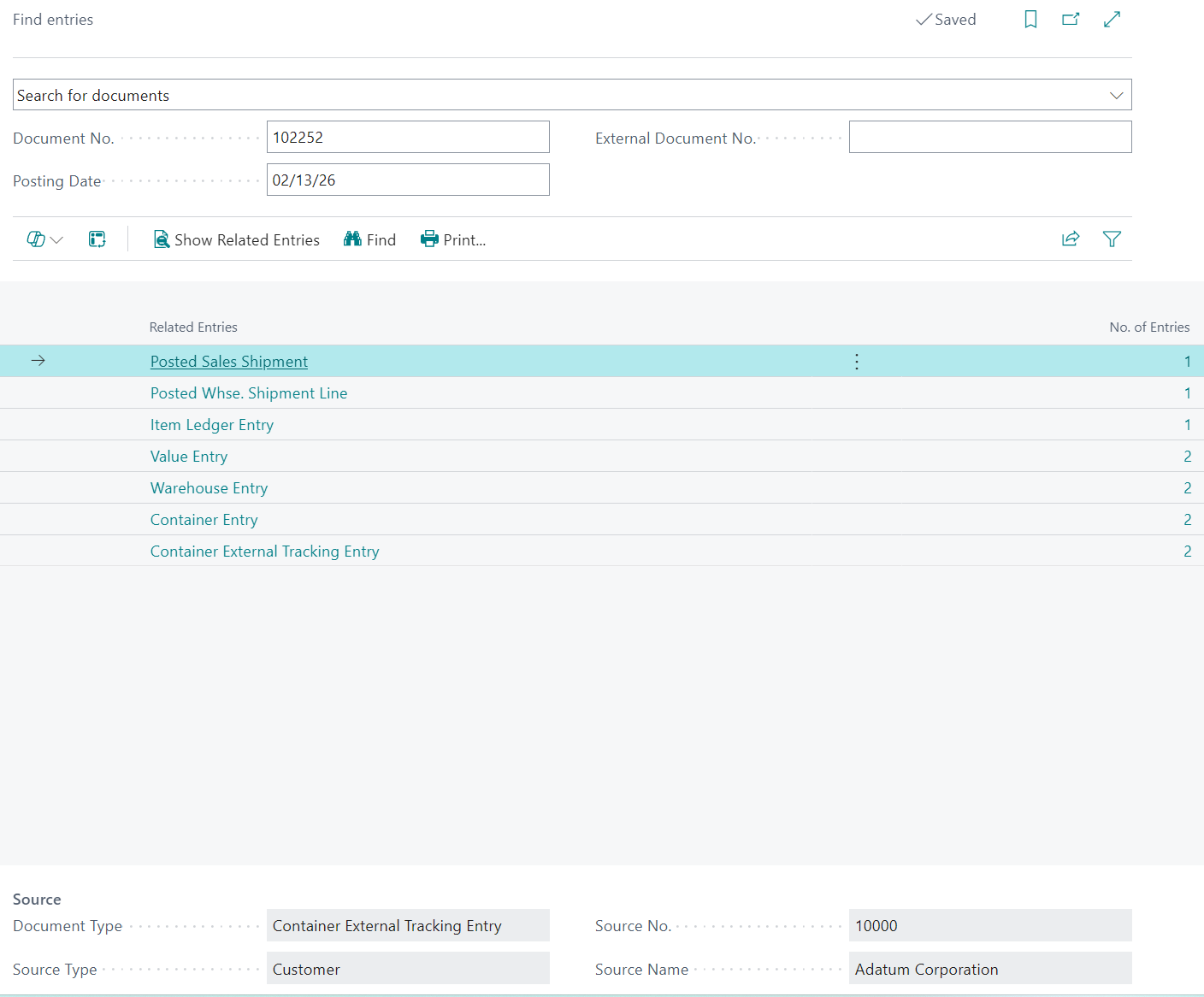
Find related entries
Select Find entries... to open Navigate and review related posted documents for the selected line.
- Select the required line.
- Select Find entries....
- Review linked entries by Document No. and posting date.
Note: This is a history screen. Entries are informational for audit and traceability.