In Business Central, you can manage retaining documents for both Sales and Purchases individually, either in the "Sales & Receivables Setup" or the "Purchase & Payables Setup" pages.
Opening one as an example, in the General FastTab is a new field called Retain Document on Posting.

When Clever Trade Plus is installed, this will be defaulted to No, using standard Business Central functionality which will delete the Order/Return Order once invoiced in full from the document itself. Changing this to Yes will then mean once the Order/Return Order is fully invoiced, the document will remain visible in the Order/Return Order list views.
Note: Once a document has been fully invoiced and is retained in the original list view, it cannot be Re-opened. Attempting to do so will incur an error.
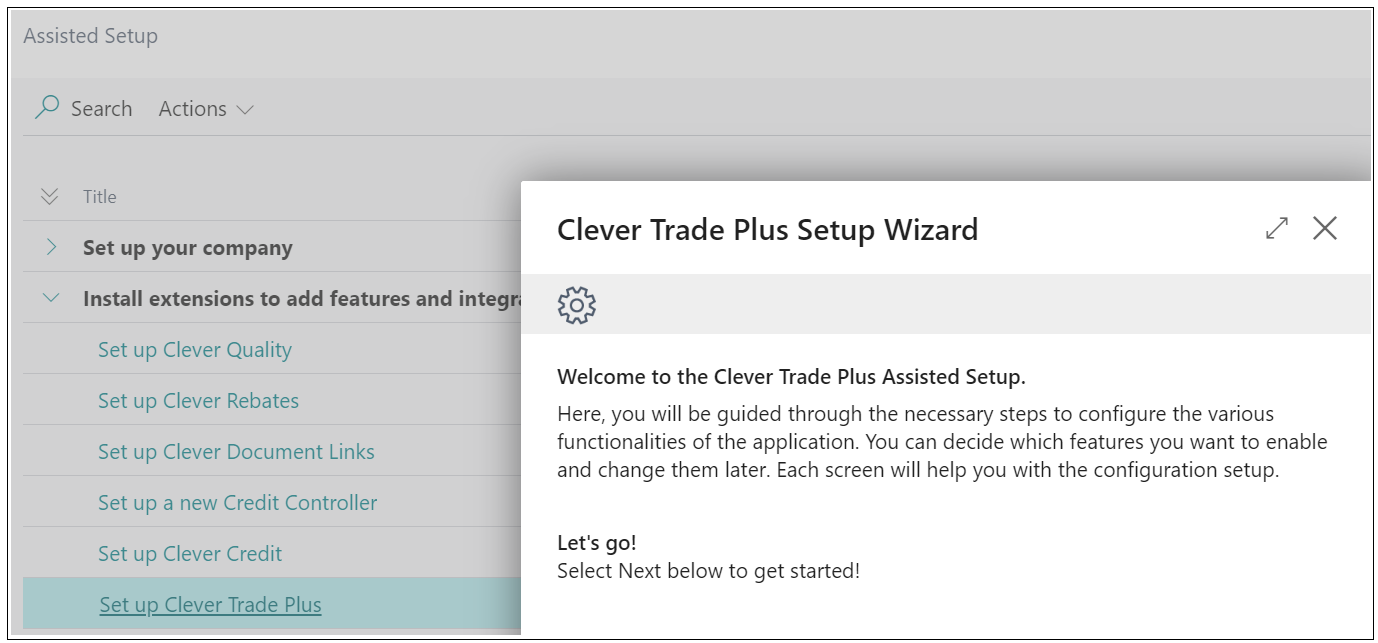
If you require further guidance when completing the setup for this, you can use Assisted Setup to complete this action. This process not only guides you through the setup actions required but also provides more instruction on how and why these are required. This is really beneficial for Users that may need more help when setting up features within Clever Trade Plus.
To access this, you can search for Assisted Setup in the search bar which will open up a page like the below image. Choosing the Set Up Clever Trade Plus option will run through all the setup for most of the features within this app, which you can skip or complete as you go. This is also really helpful should you want to complete the setup for a number of apps at once.
Retain Quote on Conversion
Retain Quote on Conversion ensures that Sales Quotes and Purchase Quotes are not deleted when they are converted into Orders.
When the Retain Quote on Conversion option is enabled in the "Sales & Receivables Setup" or "Purchases & Payables Setup" screen, using the Make Order action will retain the original Quote in the system rather than removing it.

Once converted, the Quote will be marked as converted and becomes read-only, preventing any further changes.
This functionality allows businesses to retain a full history of Quotes for reference and reporting purposes, while ensuring data integrity by restricting edits after conversion.