With the Quote Expiration Date feature in Clever Trade Plus we are using the Quote Valid to Date field to check and control the "Sales Order" conversion process, validating this against today’s date to ensure that the prices on the "Sales Quote" document are still valid.
If the Quote Valid to Date has expired, the system checks whether today’s price would be different for the Quote Item(s). If so, Business Central warns the user that the Quote Valid to Date has now passed and allows them to confirm whether to continue.
For example, if the Quote Valid to Date is in the past and the Make Order action is selected on the "Sales Quote", and today’s price differs from the price on the line, a confirmation message will be shown.
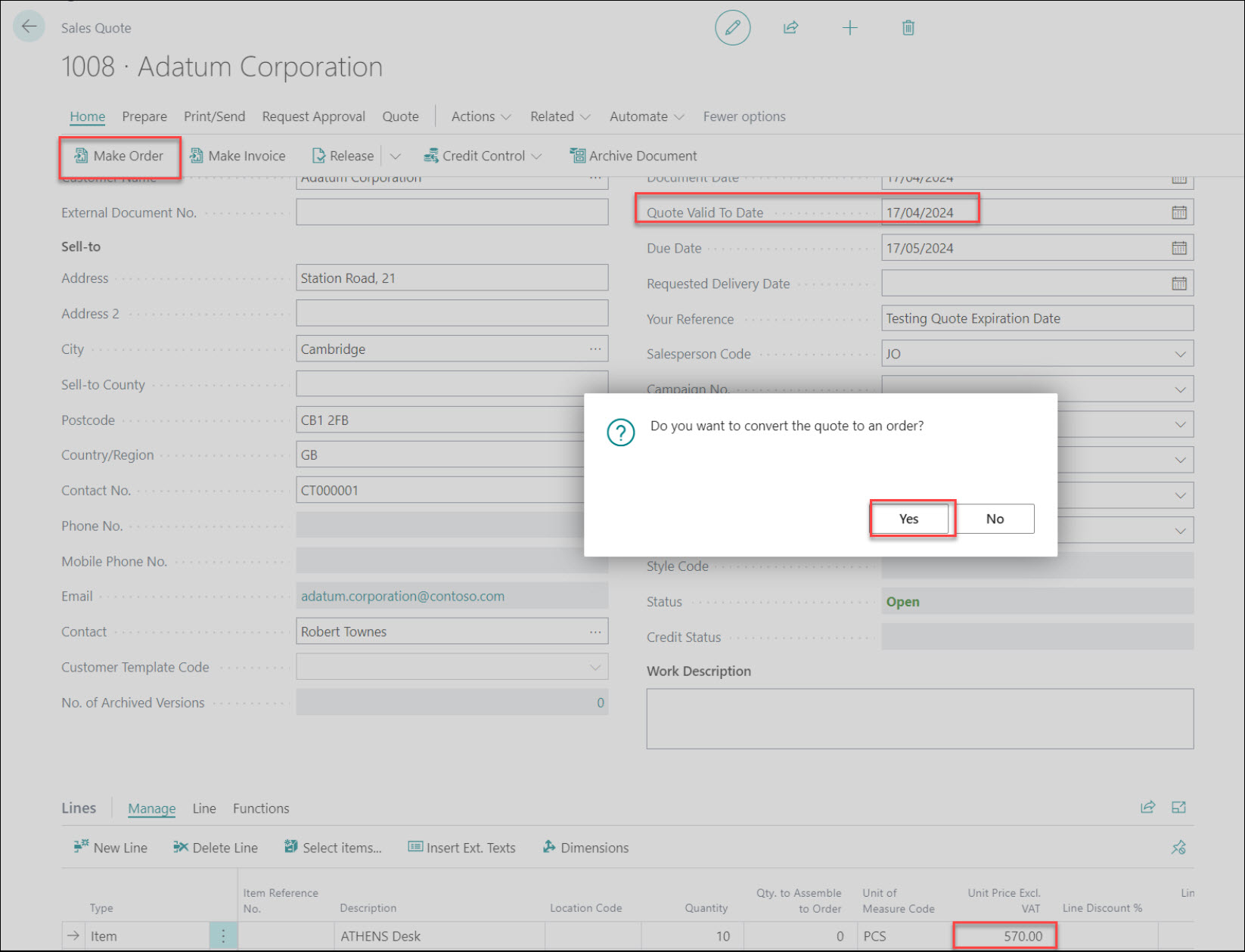
A confirmation message then appears.
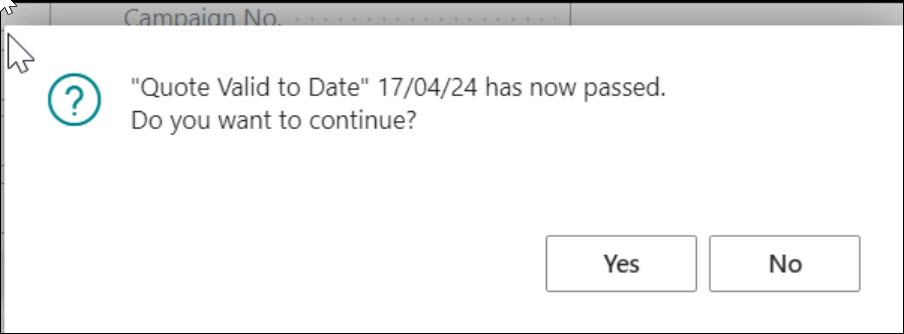
If Yes is selected, the price on the resulting "Sales Order" will remain the same as it was on the "Sales Quote" and will not update to today’s price.
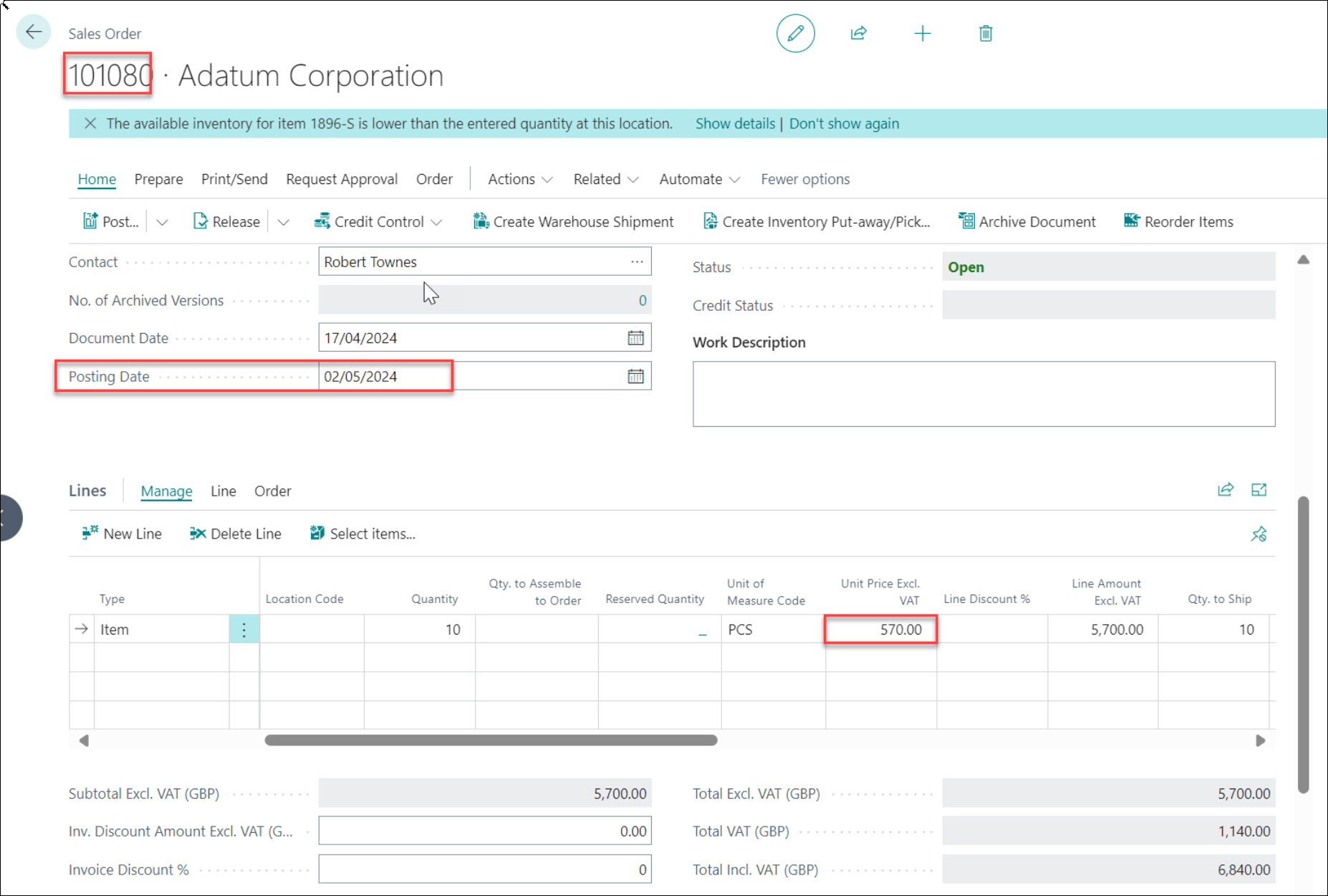
If the Quote Valid to Date is in the past but today’s price is the same as the price on the sales line, no confirmation message is displayed.
Quote Status
A new Quote Status field has been introduced to clearly track the lifecycle of a Sales or Purchase Quote.
The possible statuses are:
- Blank – the Quote is still active.
- Lost – the Quote has been marked as not proceeding.
- Converted – the Quote has been converted into an Order.
When a Quote is converted into an Order, the system automatically records the date and time of conversion and sets the standard Business Central fields Order Accepted and Order Accepted Date.
At this point, actions such as Make Order and Mark as Lost are disabled, and the Quote becomes read-only so that it cannot be edited.
This provides clear visibility of the Quote life cycle and supports reporting on conversion and loss rates.