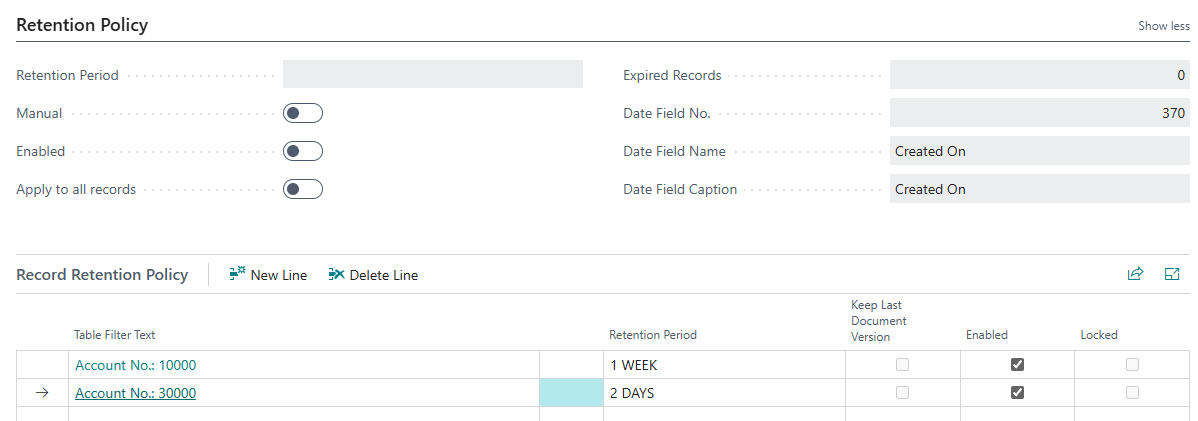
You can use the Clever Payment Gateway Retention Policies to remove any expired Payment Links that are held in Business Central. This is because we do not currently automatically delete these, so part of your housekeeping process should be defining how long you wish to retain the Payment Links that have been created for Clever Payment Gateway.
In "Payment Gateway Setup", go to Setup in the ribbon and select Payment Link Retention Policy.
Here you can confirm the Retention Period you would like to use, i..e how long you want to retain Payment Links before they are deleted. We have added some default ones in for you but you can create your own by selecting Navigate in the ribbon and clicking on Retention Periods.
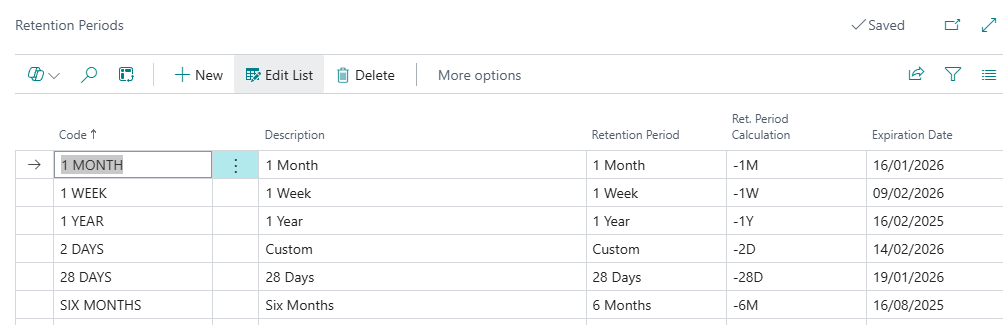
Ensure you create a Code, populate the Description and then confirm from the dropdown what Retention Period you are creating. If the one you want to use does not exist, use 'Custom'. Confirm the Ret.Period Calculation, i..e how many days, weeks, months etc Business Central should calculate for this period. The shortest period you can specify is '2D'.
In the main "Retention Policy" page, you can then confirm if you wish to to remove Payment Links manually by switching the Manual toggle to 'Yes'. Using this function does not rely on a Job Queue, therefore once you have Payment Links that have expired, you will see the number of entries in the Expired Records field and can go into the ribbon, click into Home and use the Apply Manually option to delete the links. Note: You must ensure the Enabled toggle is also 'Yes' as where this is 'No', no action will be taken.
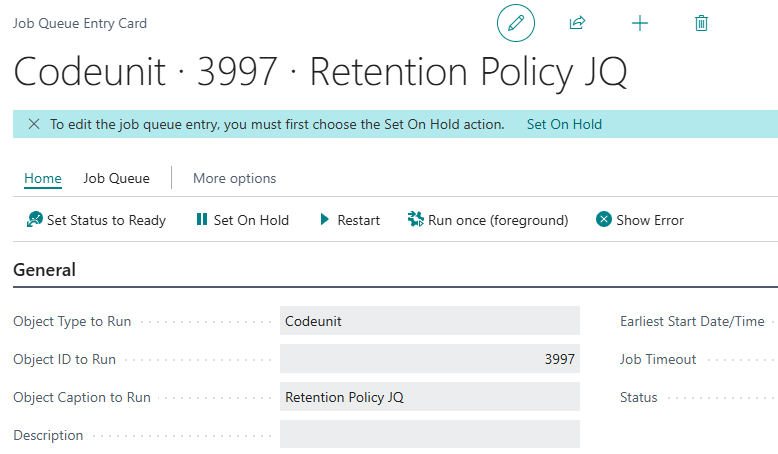
If you'd prefer to use a Job Queue to automatically clear expired links down, turn 'off' the Manual toggle, go to Navigate in the ribbon and select Job Queue Entries. Update your job queue recurrence as you wish and Set Status to Ready. Again, you must ensure the Retention Policy is Enabled.
You can view the Retention Policy Log in the ribbon for information about what has been removed if you wish.
Finally, you should confirm when you are deleting Payment Link records, if the deletion applies to all records by using the Apply to all records toggle. Where this is 'Yes', all records will be deleted once expired (either manually or via the Job Queue). However if you wish to define specific records for deletion, ensure the Apply to all records is 'No' which will display an additional section at the bottom of the screen for you to define additional filters to use when searching for records to remove. Using this also enables you to have different Retention Period rules for filters such as different Customer Account Nos.