Opening a Sales or Purchase Order and shipping or receiving less than the original quantity will leave an Outstanding Quantity value on the warehouse document (this includes Shipments, Receipts and Picks where used).
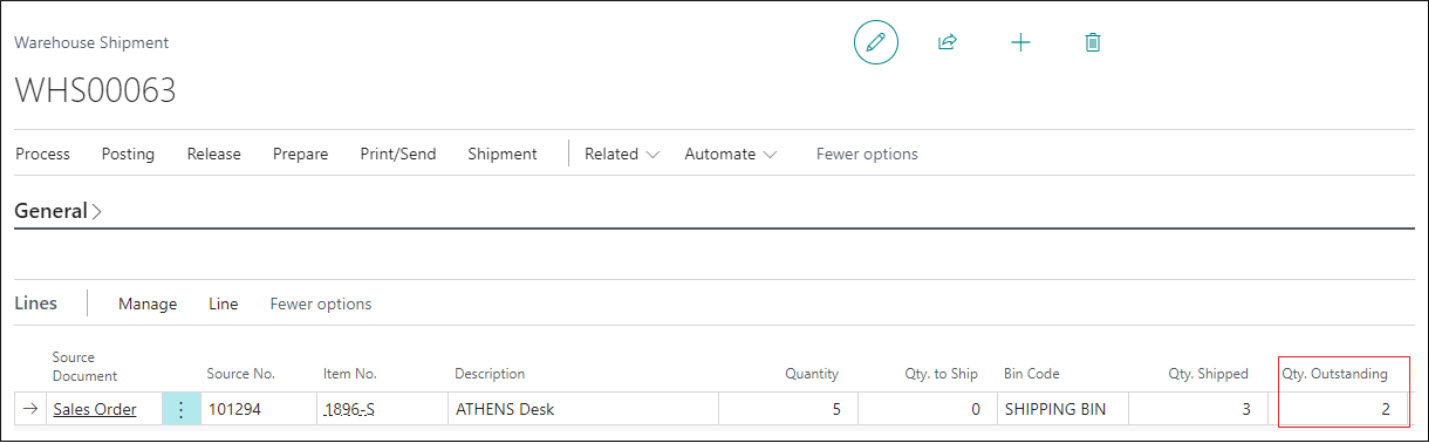
Leaving this document as it is, go back to the "Sales Order" or "Purchase Order" screen and post the Invoice. In this example, the Quantity field remains as 5 but Quantity Invoiced would be 3.
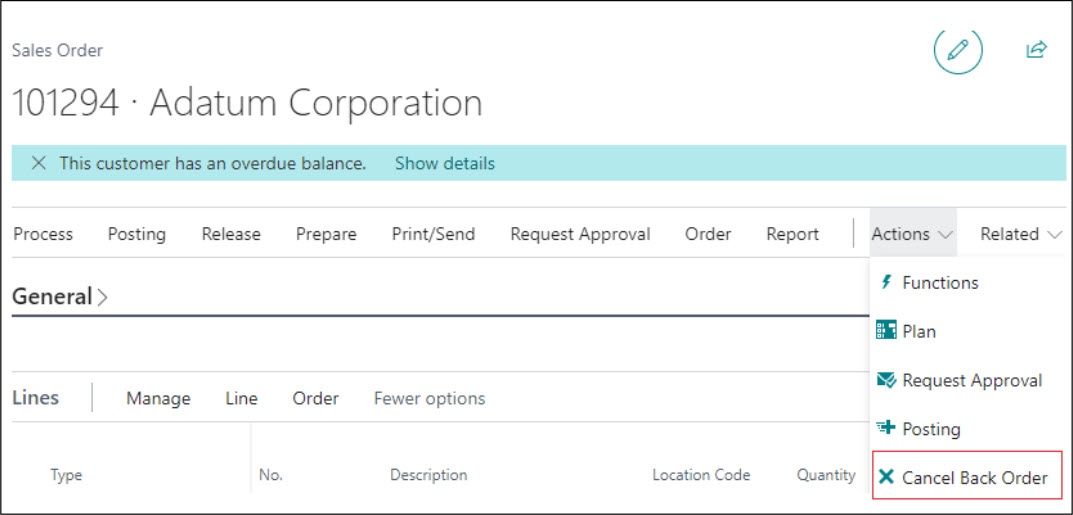
From the menu ribbon on the "Sales Order" or "Purchase Order" screen, select Actions and then Cancel Back Order.
If there is an outstanding amount on the order at the time of cancellation, a message will appear advising that the outstanding amount will be cancelled and that a credit memo may need to be raised if payment or a prepayment has already been received or made against the outstanding quantity.
Where no outstanding amount exists, a standard confirmation message will appear asking whether you want to cancel the remaining quantity. In both cases, selecting No will close the message and keep the current values as they are. Selecting Yes will close down any Warehouse document that has a Quantity Outstanding for this order and will replace the value in the Quantity field on the lines to the value that was invoiced. The example below now shows the updated value on the line.

Recording a Reason Code
Cancelling a back order means that a quantity your Customer ordered, or that you ordered from your Vendor, will never be fulfilled. Being able to record why lets you analyse lost sales and purchases later and take action to reduce them.
A Cancel Backorder Reason Code field is available on the "Sales Order" and "Purchase Order" screens. Select the Reason Code that explains why the remaining quantity will not be fulfilled, for example a lack of inventory or a decision taken by the Customer.
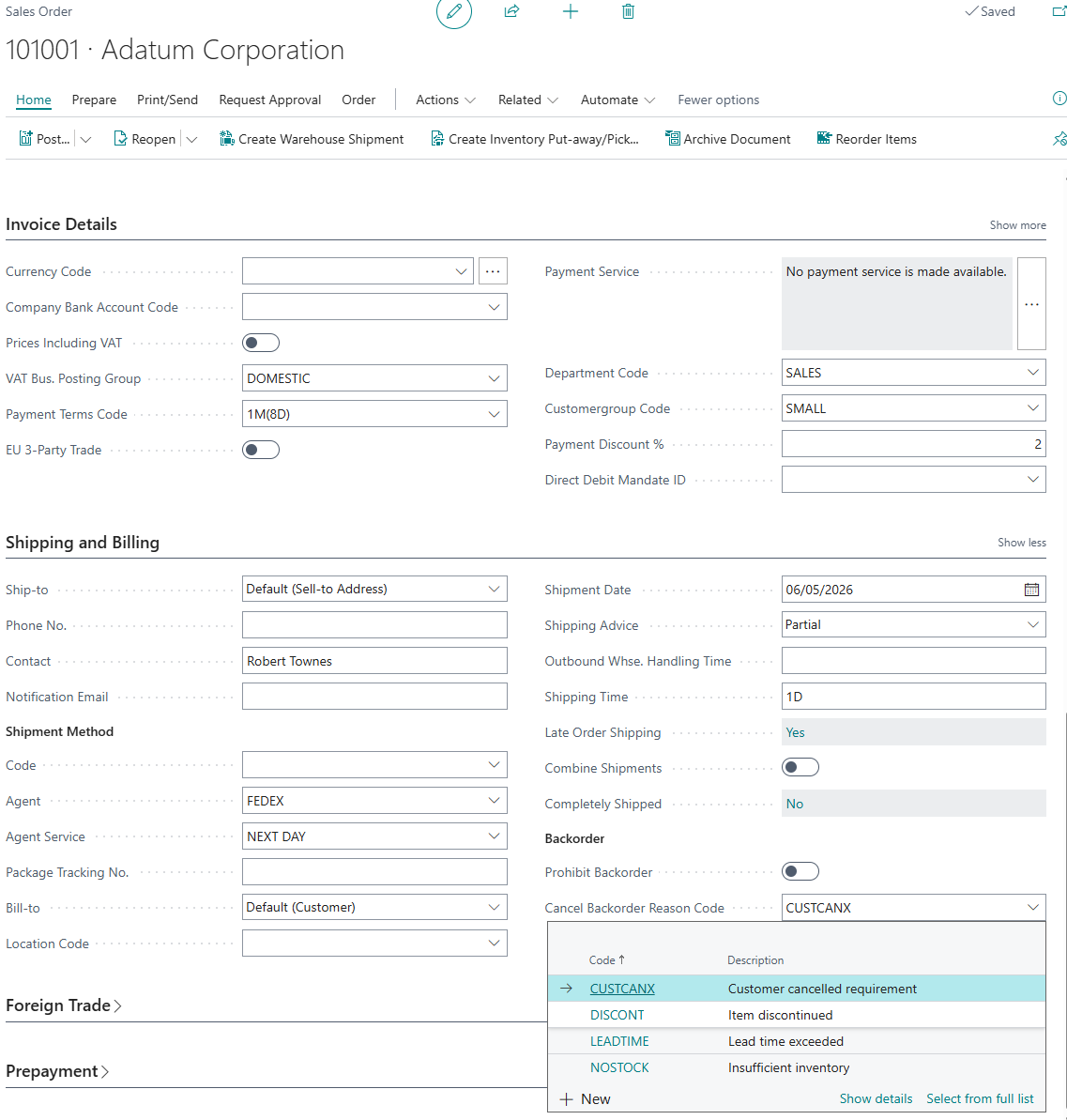
The Reason Code is recorded against every line that is cancelled, whether the cancellation is carried out manually using the Cancel Back Order action or automatically because Prohibit Backorders is set on the Customer or Vendor.
Note: the Reason Code is optional by default. It can be made compulsory by enabling Cancel Backorder Reason Mandatory in the "Sales & Receivables Setup" or "Purchases & Payables Setup" screens. When this is enabled, an attempt to cancel a back order without a Reason Code will produce an error and the cancellation will not take place. See Automatic Back Order Cancellation - Setup.
Cancelled Backorder Log
Every cancelled back order line is written to the "Cancelled Backorder Log", which gives you a permanent record of what was lost, when, by whom, and why.
The log can be accessed by choosing the 🔍 icon, entering "Cancelled Backorder Log", and then choosing the related link. It can also be reached by drilling down on the Lost Back Orders cues on the Back Order Dashboard.
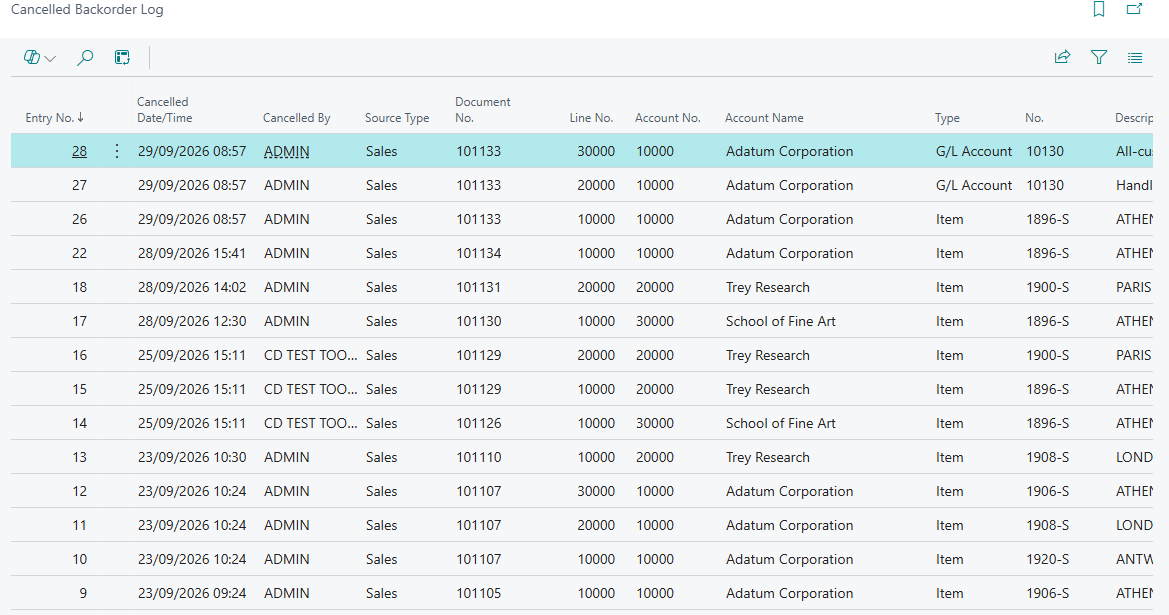
| Entry No. | Specifies the number of the log entry. |
| Cancelled DateTime | Specifies the date and time when the backorder was cancelled. |
| Cancelled By | Specifies the ID of the user who cancelled the backorder. |
| Source Type | Specifies whether the cancelled backorder relates to a sales or a purchase document. |
| Document No. | Specifies the number of the Order that the backorder was cancelled on. |
| Account No. and Account Name | Specifies the Customer or Vendor that the cancelled backorder relates to. |
| Type, No. and Description | Specifies the type, number and description of the line that the backorder was cancelled on. |
| Location Code | Specifies the Location that the cancelled backorder relates to. |
| Cancelled Quantity | Specifies the outstanding quantity that was cancelled from the backorder. |
| Unit of Measure Code | Specifies the unit of measure of the cancelled quantity. |
| Cancelled Amount (LCY) |
Specifies the value of the cancelled quantity, in local currency, representing the lost sale or purchase. Entries created before this field was introduced show zero. |
| Reason Code | Specifies the reason code that records why the backorder was cancelled. |
| Reason Description | Specifies the description of the reason code that records why the backorder was cancelled. |
The Variant Code and Line No. columns are also available and can be added using personalisation.
Because every entry carries both a quantity and a value, filtering the log by Reason Code or by Account No. gives you an immediate view of which Customers, Vendors or causes account for the most lost business.