With this Clever Trade Plus feature we added functionality to prevent the creation of Warehouse Shipment or Inventory Pick from a "Sales Order" if the status is not Released.
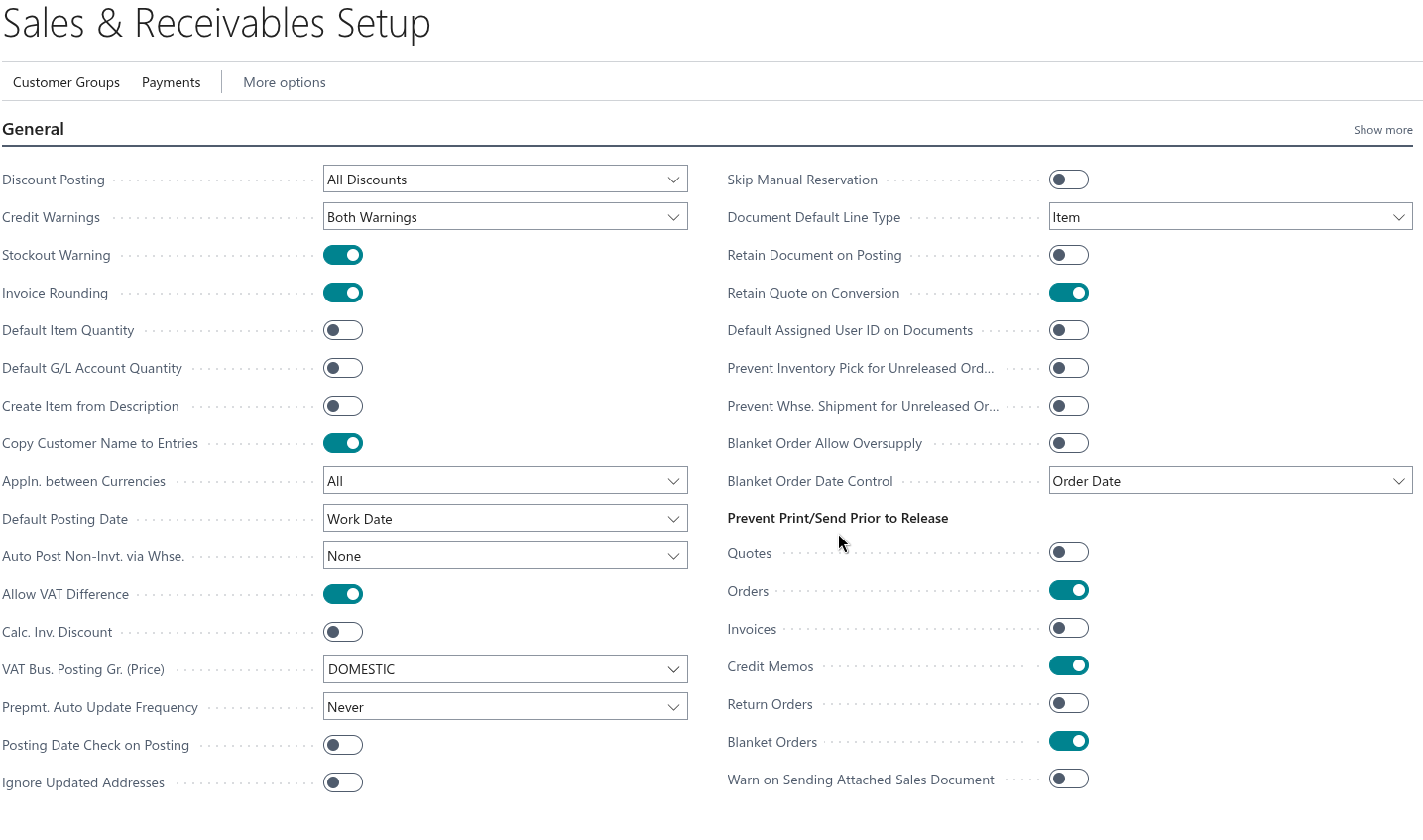
There are two fields added to the "Sales & Receivables Setup" screen:
- Prevent Inventory Pick for Unreleased Orders
- Prevent Whse. Shipments for Unreleased Orders
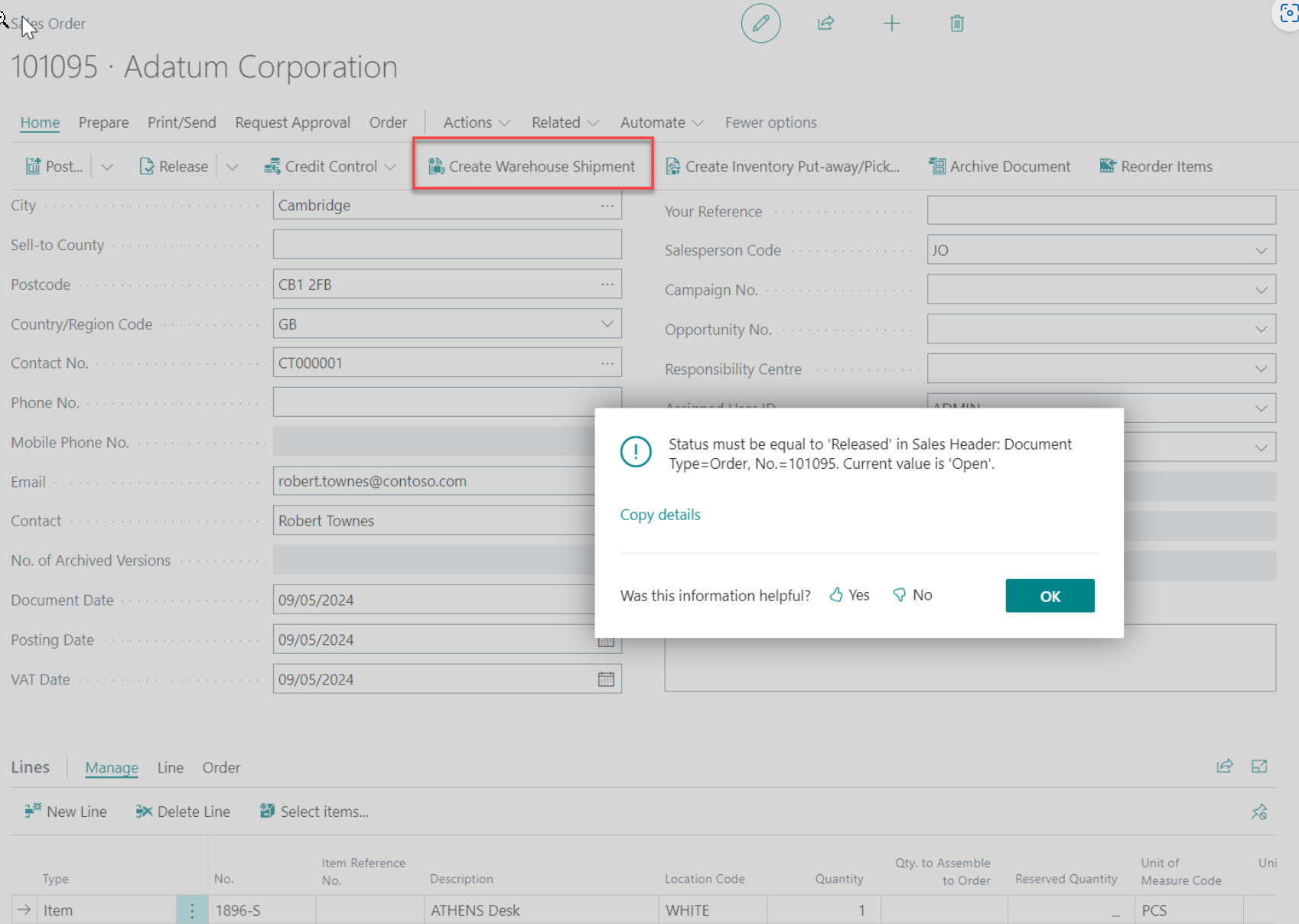
If the Prevent Whse. Shipment for Unreleased Orders field is enabled, an error message is shown when attempting to create a Warehouse Shipment from an Open "Sales Order" using the Create Warehouse Shipment action.
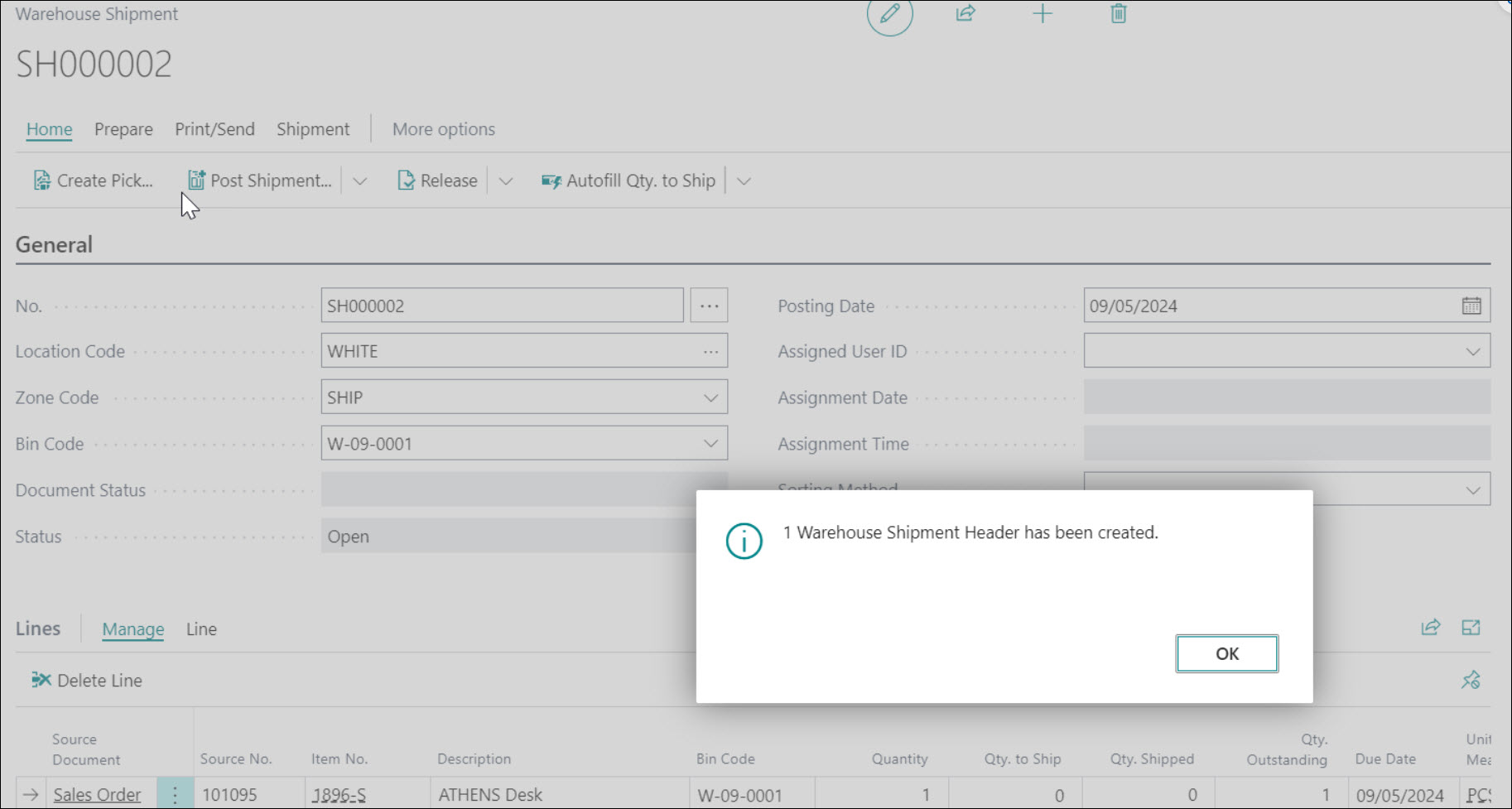
If the Prevent Whse. Shipment for Unreleased Orders field is not enabled, a "Warehouse Shipment" can be created as standard and the "Sales Order" will automatically be released.
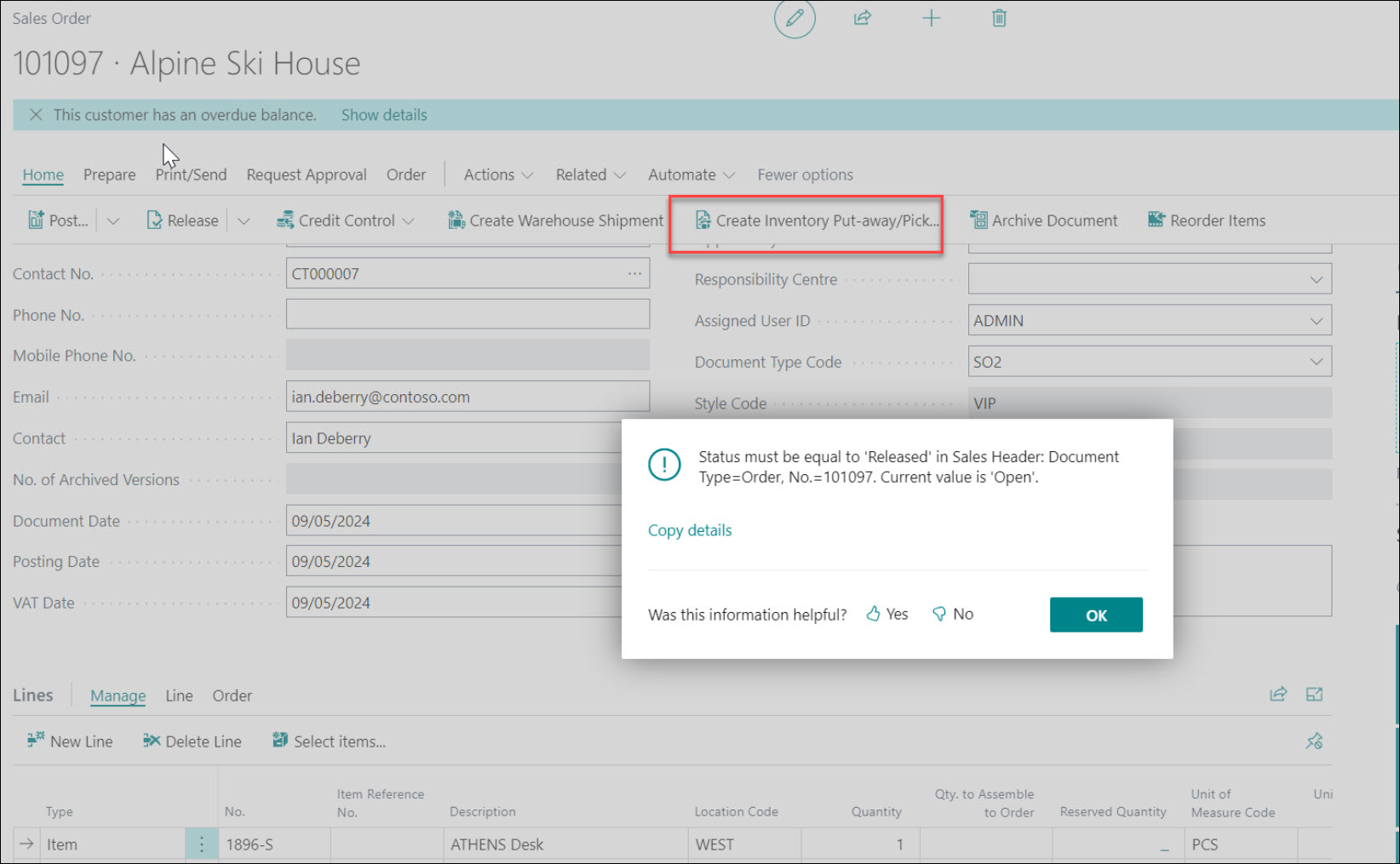
If the Prevent Inventory Pick for Unreleased Orders field is set to True, an error message is shown when attempting to create an Inventory Pick from an Open "Sales Order" using the Create Inventory Put-away/Pick action.
If the Prevent Inventory Pick for Unreleased Orders field is set to False, an "Inventory Pick" can be created as standard and the "Sales Order" will automatically be released.
Prevent Printing or Sending Prior to Release
The Prevent Print/Send Prior to Release options ensure that documents cannot be printed or emailed until they have been released. Rather than a single toggle that applies to all document types, individual controls are available per document type, giving more flexibility over which documents are restricted.
In both the "Sales & Receivables Setup" and "Purchases & Payables Setup" screens, a Prevent Print/Send Prior to Release group is available in the General FastTab containing the following options:
- Quotes — Prevents printing or sending Quotes prior to release.
- Orders — Prevents printing or sending Orders prior to release.
- Invoices — Prevents printing or sending Invoices prior to release.
- Credit Memos — Prevents printing or sending Credit Memos prior to release.
- Return Orders — Prevents printing or sending Return Orders prior to release.
- Blanket Orders — Prevents printing or sending Blanket Orders prior to release.
Where an option is enabled, the system will block the standard print and send actions on that document type where the status is not Released. Where an option is disabled, standard Business Central behaviour applies and that document type can be printed or sent regardless of its status.
Configuring these individually is particularly useful in scenarios such as Sales Quotes created for contacts not yet converted to Customers — these cannot be released in Business Central, so enabling the restriction only on document types where release is always achievable avoids unnecessarily blocking the printing or sending of legitimate documents.
Warning on Attachment
An additional option has been added to both the "Sales & Receivables Setup" and "Purchases & Payables Setup" screens to provide a warning when sending documents that have not yet been released.
When enabled, the system will display a confirmation message if a User attempts to print or send a document that has not been released, helping to prevent unapproved documents from being distributed externally.