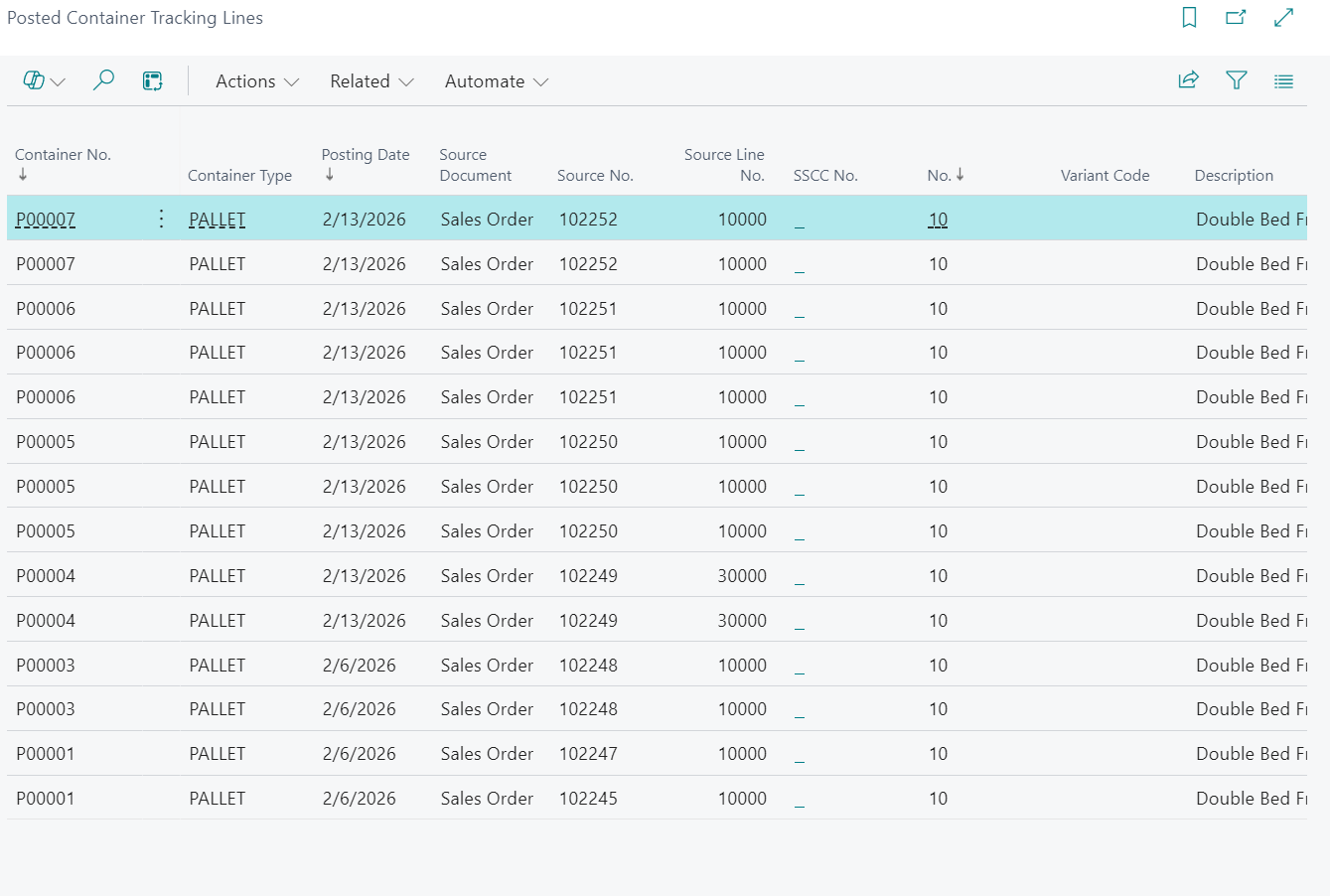
This page combines guidance for the "Container Tracking Lines" screen and the "Posted Container Tracking Lines" screen from an end-user perspective.
"Container Tracking Lines" screen
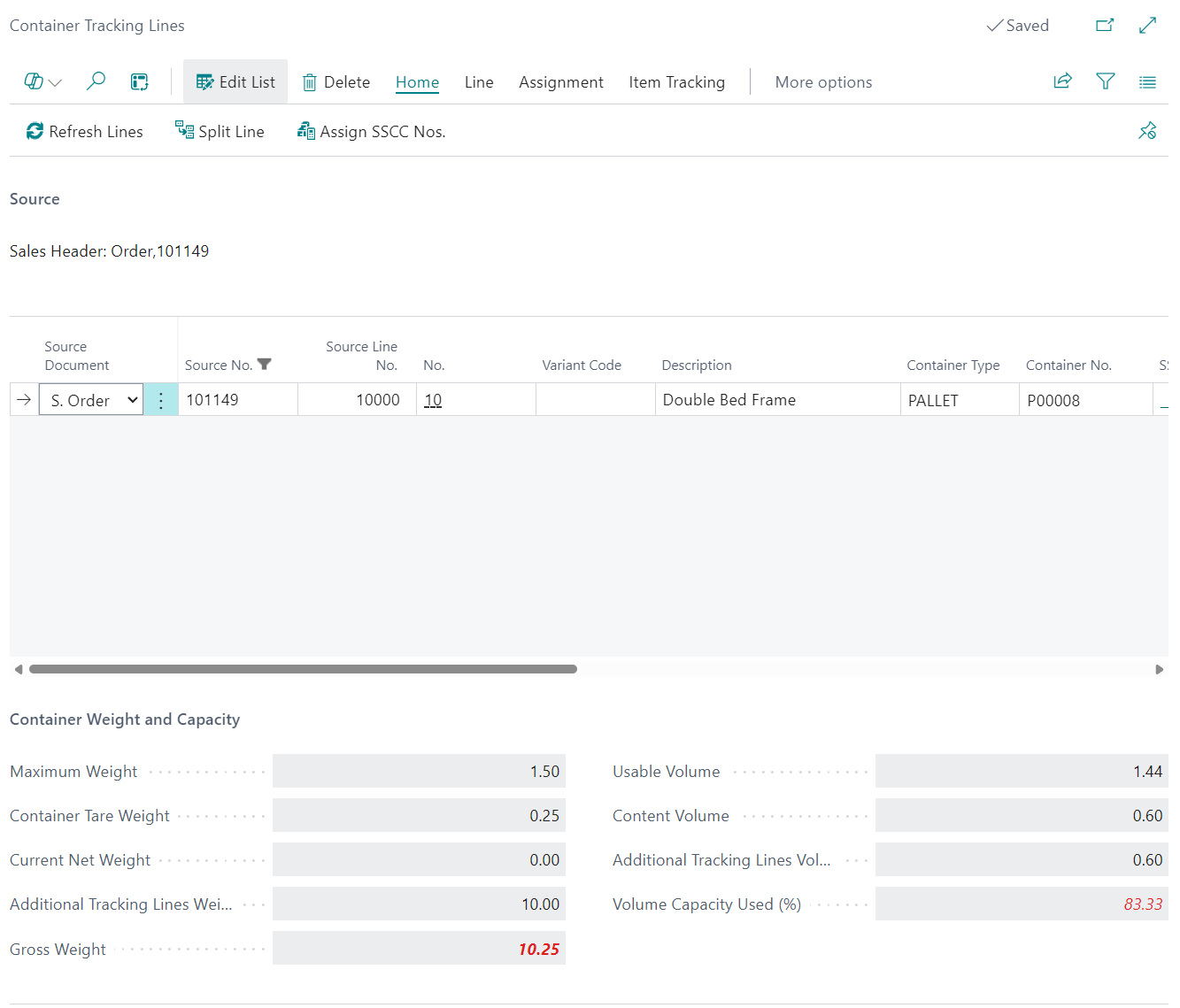
Use the "Container Tracking Lines" screen to assign containers before posting and confirm that tracking quantities are correctly distributed.
Open this screen from the relevant document by selecting Container Tracking Lines.
- Review Source Document, Source No., Source Line No., and No. to confirm you are updating the correct line.
- Enter or update Container No. (and Container Type where shown).
- Use Create and Assign Default Container, Create and Assign Default Container Per Line, Create and Assign Container, or Assign Existing Container as needed.
- Use Split Line or Multiple Split when one source line must be split across multiple containers.
- Use Refresh Lines to reload lines from the source document.
- Use Clear Containers to remove assignments from selected lines.
- Use Assign SSCC Nos. to populate SSCC No..
- Use Container Contents and View Source Lines to validate assignments before posting.
The screen also provides capacity checks using Maximum Weight, Container Tare Weight, Current Net Weight, Gross Weight, Usable Volume, Content Volume, and Volume Capacity Used (%).
If filtering by source, common Source Document values include Sales Order, Service Order, and Outbound Transfer.
Note: If required tracking is incomplete, posting will stop until the lines are corrected.
"Posted Container Tracking Lines" screen
Use the "Posted Container Tracking Lines" screen to review posted history and support traceability.
Open this screen from posted documents by selecting Posted Container Tracking Lines.
- Review posted records by Container No., Posting Date, Source Type, Source No., and Source Line No..
- Confirm item-tracking references using Serial No., Lot No., and Package No..
- Use Serial No. Information Card, Lot No. Information Card, and Package No. Information Card for drilldown.
- Use Assign SSCC Nos. if posted entries still require SSCC assignment.
Use this screen for history and traceability after posting. Assignment changes are performed in the "Container Tracking Lines" screen before posting.
Note: Posted lines should be treated as audit history for container usage across posted transactions.