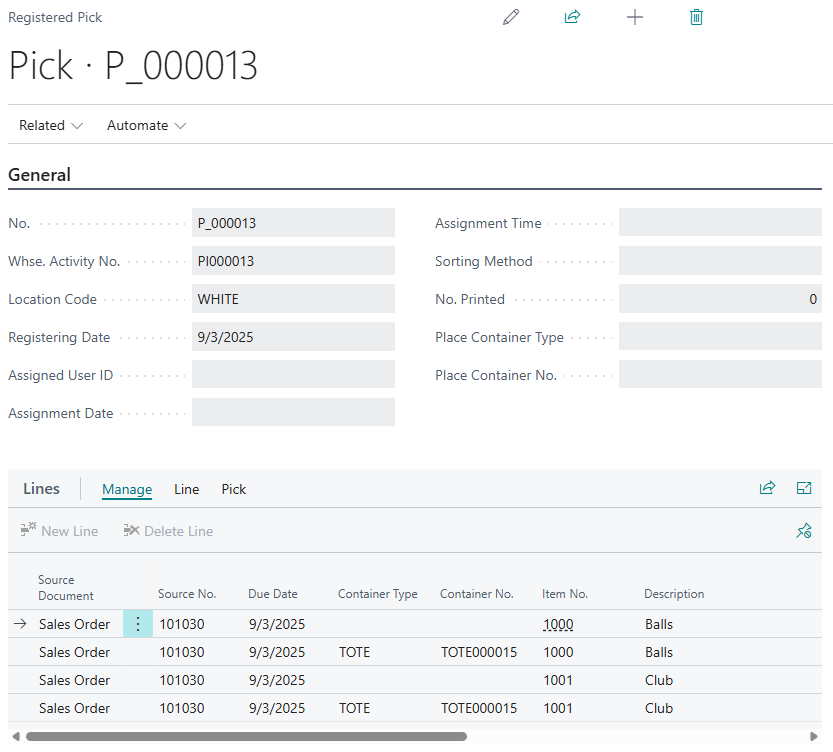
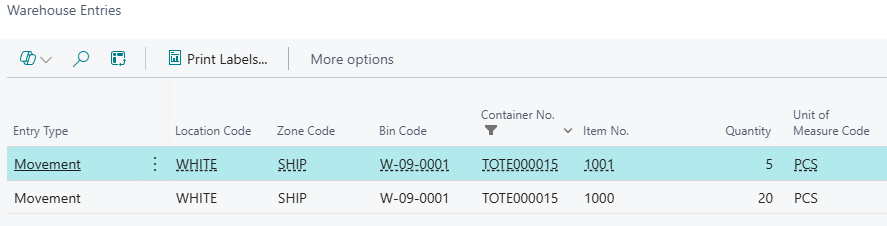
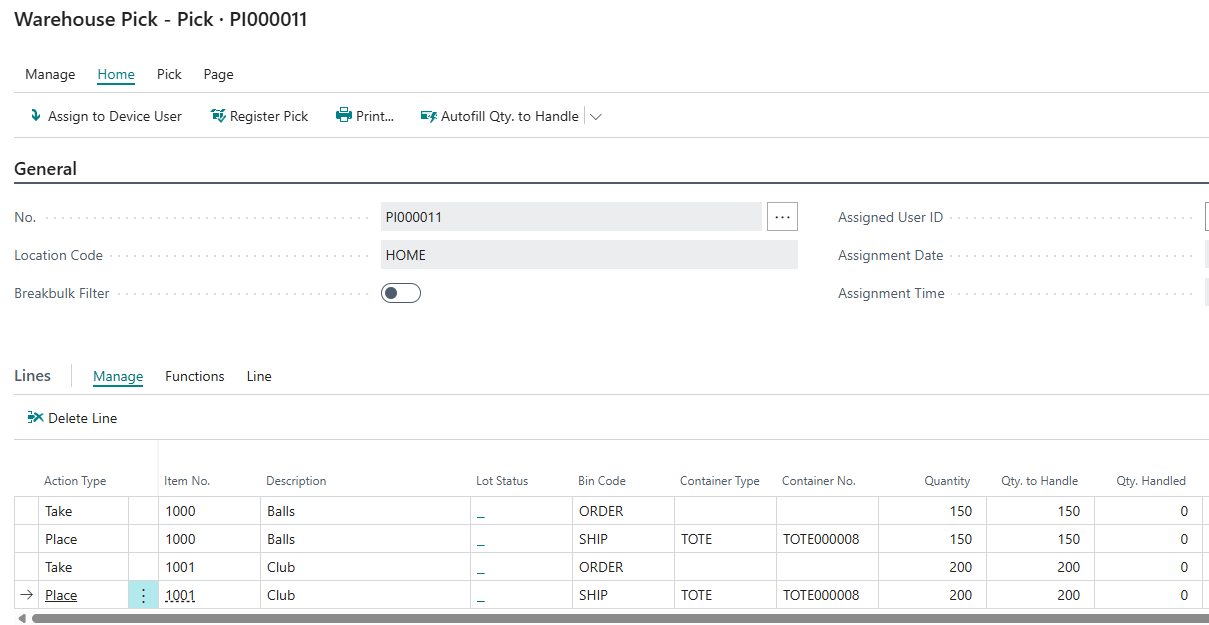
From Version 2.0 of Clever WMS Containers, two new attributes have been added to Lines section of the "Warehouse Pick" to allow you to define the Container detail that the items will be taken from and/or picked into as part of the picking process. As with all other areas of the Clever WMS Containers functionality, the requirement to specify the Container information is dependent on the Bin Setup, as detailed here and this will therefore control whether the attributes are editable to the user.
|
Container Type
|
This Field is non-editable but will automatically be populated with the related Container Type depending on the Container selected in the Container No. field. |
|
Container No. |
You can drilldown on this Field to select an existing Container or to create a new Container where required. The same Container can be used on multiple lines if required. For the Place lines, the filters that will be applied to the list of Containers that are currently displayed when you drilldown on this field are as follows
|
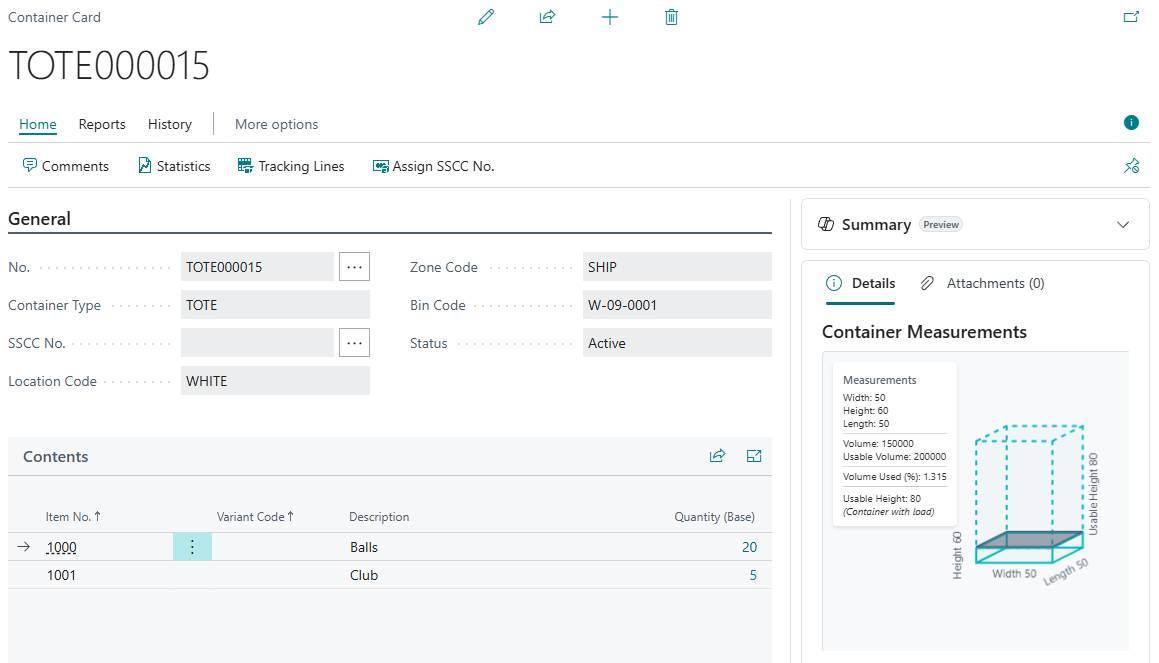
Once the "Warehouse Pick" is registered the "Container Card" will be automatically updated to reflect which items are now stored within it as well as the Location Code, Zone Code and Bin Code information as required. "Container Entries" will also be created ensuring a full trace of movements into and out of a Container.

In addition, the Container details will also be recorded against the "Registered Pick" and the related "Warehouse Entries" that are created.