The process to retain posted documents works exactly the same way for both Sales and Purchase and will impact both Orders and Return Orders.
Providing you have changed the Retain Document on Posting field in the "Sales & Receivables Setup" and "Purchase & Payables Setup" screens, depending on which option you are using, you can use the feature.
In the example below, the Retain Document on Posting field is set to Yes for Purchases and a "Purchase Order" has been created with a Vendor and Lines populated. Providing the goods are invoiced directly from this document, and not by creating a separate "Purchase Invoice" and using the Get Shipment Lines function for example, the "Purchase Order" will remain visible in the "Purchase Order List" rather than being deleted.
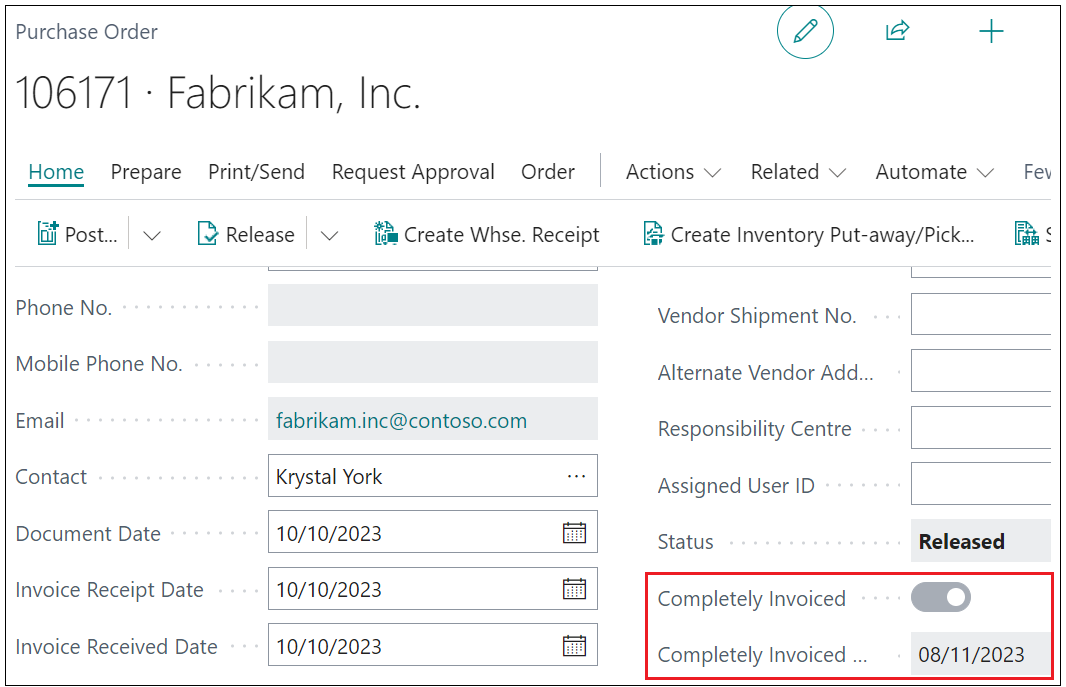
You can see the document now shows two new fields once this process has occurred: a Completely Invoiced flag which reads as Yes, and a Completely Invoiced Date field showing the date it was invoiced.
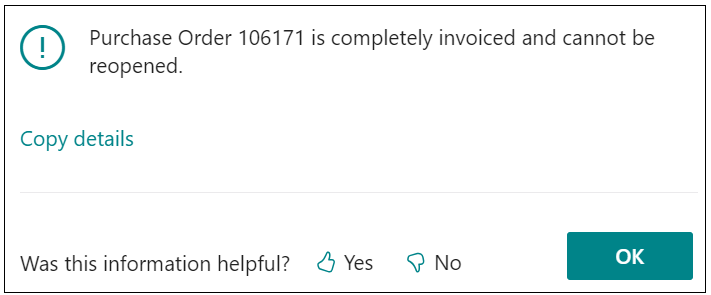
Attempting to re-open this document now it is marked as Completely Invoiced will generate the error shown below.
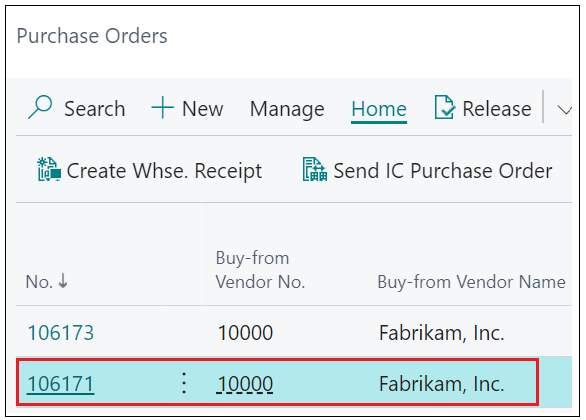
Finally, you can see the invoiced "Purchase Order" remains visible in the original "Purchase Orders" list view, providing clearer visibility of completed transactions and making it easier to locate documents during an audit.
This feature works with both "Orders" and "Return Orders".
In addition to retaining posted Orders and Return Orders, Clever Trade Plus also supports retaining Sales and Purchase Quotes when they are converted into Orders. When the Retain Quote on Conversion option is enabled in the "Sales & Receivables Setup" or "Purchases & Payables Setup" screens, using the Make Order action will keep the original Quote in the system instead of deleting it.
Once converted, the Quote is marked as converted and becomes read-only, preventing further changes while still allowing it to be retained for historical reference and reporting purposes.