Once the Item Statuses, Default for new items and Workflow is setup and Enabled (if you want approvals as part of the Item Status changes), you are able to utilise the Item Statuses functionality.
Firstly, if you have defaulted all Existing Items with an Item Status, you will now see that the Items have got Item Status populated on the "Item Card".

Now, if a User changes the Item Status to another option from the dropdown, one of 2 things will occur.
- If you have the "Workflow" not Enabled, the changes to the Item Status, Blocked, Sales Blocked and Purchase Blocked fields will all update without requiring an approver to confirm these.
- If you have the Workflow Enabled, a notification will occur, advising the User it has been sent for approval.
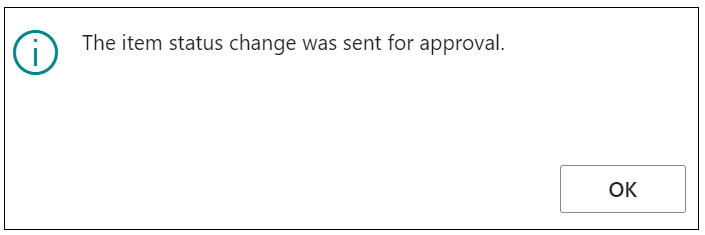
It is now up to the User/Workflow Group to check their "Approval Entries" table and Approve the entry. Whilst this is waiting for approval, the Item Status will remain as it was (including the Blocked, Sales Blocked and Purchasing Blocked fields). These will only ever change if approved.
If this gets approved then the Item Status changes to the chosen value and the Blocked, Sales Blocked and Purchasing Blocked will all get updated accordingly based on the setup I have for the Codes in the "Item Statuses" page. You can set up notifications to alert the User if approvals are rejected/approved within standard Business Central approval processes.
Item Variant Status
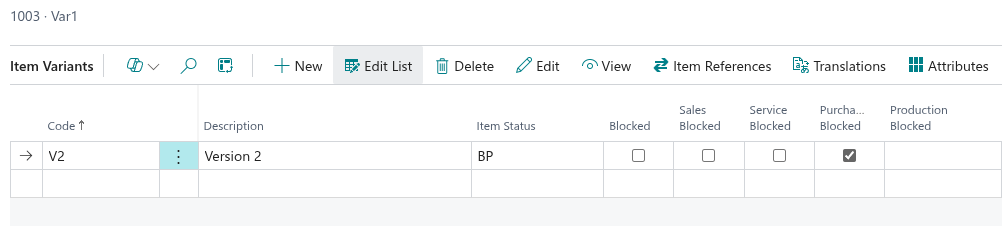
Item Statuses can also be applied at the Item Variant level. On the Item Variants screen, an Item Status field is available on each variant line, allowing different statuses to be set per variant independently of the parent item.
When a status is set on a variant, the Blocked, Sales Blocked and Purchasing Blocked flags on that variant will update automatically based on the Item Status code configuration in the same way they do on the Item Card.
Note: Item Variant Status changes take effect immediately and do not go through the approval workflow. This allows finer control where, for example, a specific size or colour variant can be discontinued or blocked for sales while other variants of the same item remain active.