In a Warehouse, Cycle Counting is a method of performing small, regular inventory checks throughout the year instead of doing a full physical stock take. The system can schedule Items or Bins to be counted based on either:
- Frequency - For example, monthly for high‑value items and yearly for low‑value ones
- No of Warehouse Activity Documents Processed - For example, every twenty Picks processed
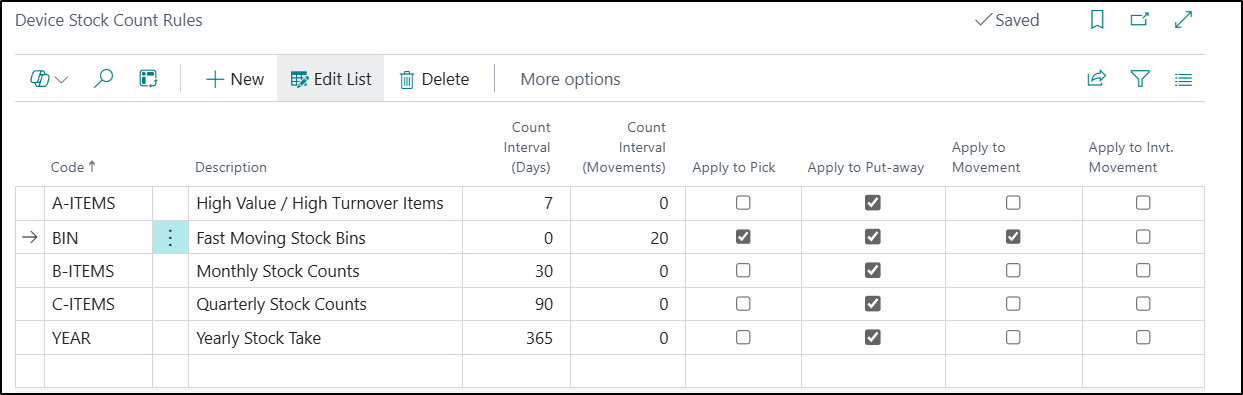
As part of the Clever WMS Devices App, we have introduced some functionality to allow this to be completed when processing transactions on a Device. The Device Stock Count Rules Table is used to define how often these stock checks should be completed.
The rules can then be applied at Location, Bin or Bin Content Level, depending on your requirements. The rules will be applied as follows:
-
If the Bin Content Rule and the Bin Rule Fields are blank, then the default rule from the Location will be used
-
If either the Bin Content Rule or the Bin Rule Fields are not blank, then these rules will be used
-
When processing a Warehouse Activity document on a Device, the rules are checked to see if the current Activity matches
-
It will then check the Count Interval (Days) and Count Interval (Movements) Fields to see when the next count should be completed
-
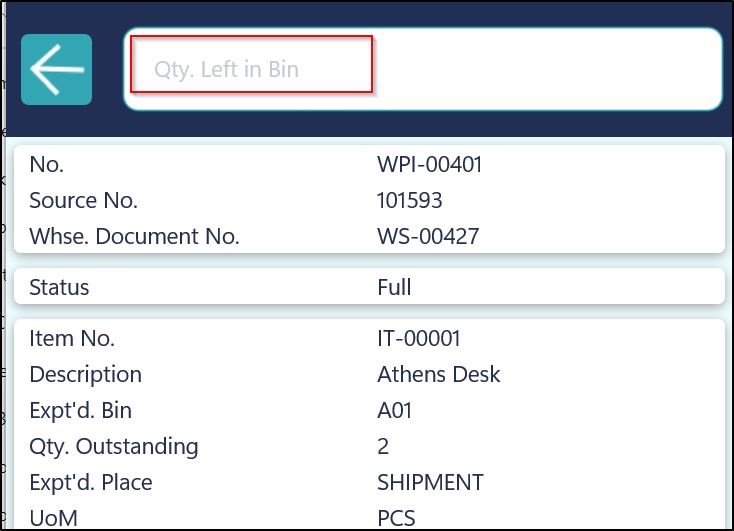
If a count is then required, then the user will be prompted on the Device to enter the Qty Left in Bin
-
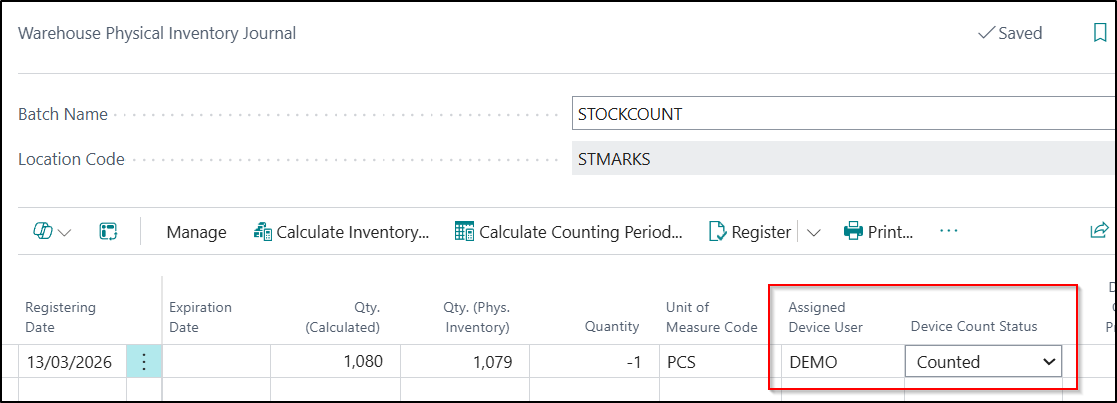
If there is a difference between the Quantity entered on the Device and the Quantity that Business Central thinks is available, then either a Warehouse Physical Inventory Journal or a Physical Inventory Journal entry will be automatically created
-
These entries can then be reviewed by a Warehouse Supervisor and either posted or re-counted as required
Users should create each different stock count rules required in the Device Stock Count Rules Table. The rules should then be applied at Location, Bin or Bin Content Level, depending on your requirements.
Then, when processing transactions on a Device, when the next Stock Count is due, the user will be prompted to enter in the Qty Left in Bin value.
If there is a difference between the Quantity entered on the Device and the Quantity that Business Central thinks is available, then either a Warehouse Physical Inventory Journal or a Physical Inventory Journal entry will be automatically created. The line will be marked as Counted and the Device User who completed the count will be recorded against the journal line.