Physical Inventory Order Overview
Physical inventory orders are formal documents that define which locations, items, and bins will be physically counted. They organise inventory counts by creating printable count documents and tracking the status of the counting process. When containers are in use, physical inventory orders can be organised by location and container to streamline the counting workflow. Container information is automatically captured and tracked throughout the entire physical inventory process.
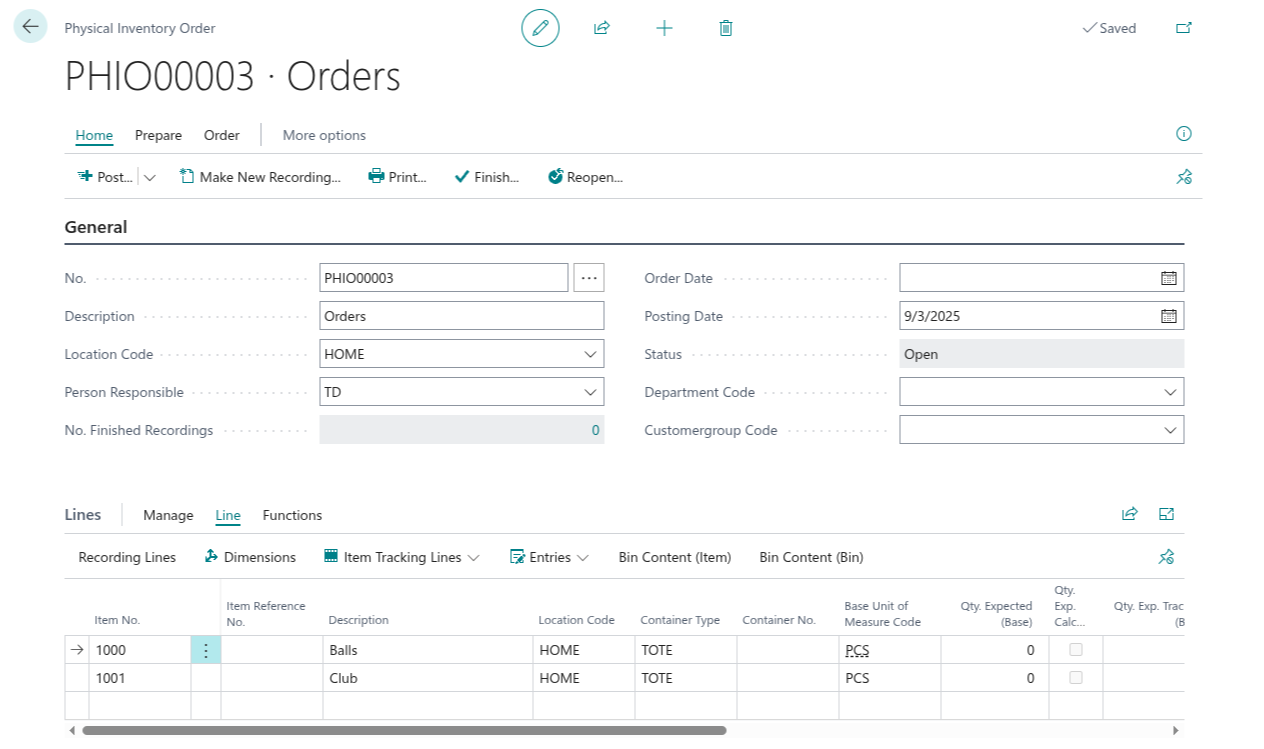
Container Information in Order Lines
Physical inventory order lines include container tracking fields that are automatically calculated when possible:
- When you enter an item (and optionally variant, lot, or serial number) and then enter a Bin Code, the order queries warehouse entries to identify which container holds that inventory.
- If exactly one container matches the item/variant/lot/serial combination in that bin, the Container No. field is automatically populated.
- If multiple containers match, the container field remains empty and you must manually look up or enter the correct container.
- When the physical inventory recording is created from the order, this container information is carried forward into the recording lines.
Creating Physical Inventory Orders with Containers
When creating a physical inventory order:
- Specify the location to be counted.
- Select the bin range or filter to limit the count to specific warehouse areas.
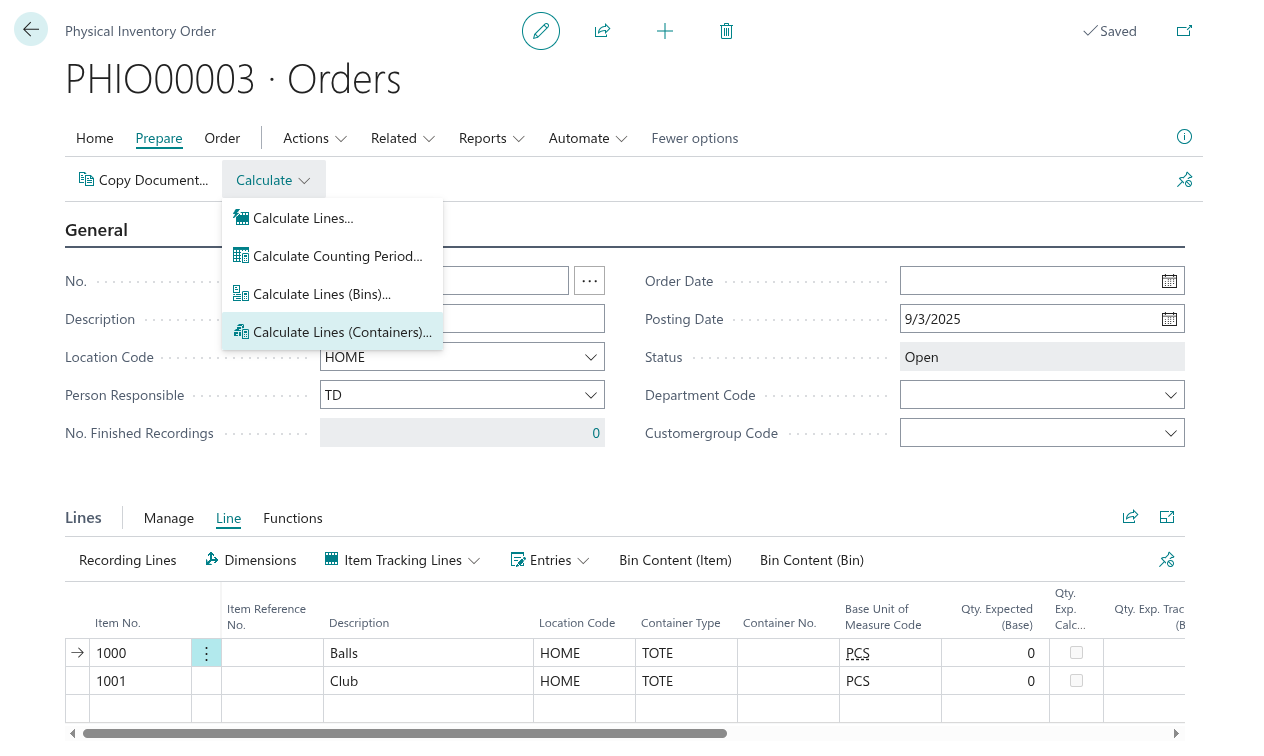
- Use the Calculate Lines (Containers) button to generate count lines organised by container. This action automatically creates lines for each item within each container at the location.
- Each count line includes the item, variant, lot, serial, expected quantity, container reference, and bin information.
- Container information can be manually adjusted before recording begins if the order reflects outdated inventory data.
Calculated Quantities in Physical Inventory Orders
Physical inventory orders display expected quantities as a reference for counting:
- Qty. Expected - the system's calculated quantity based on warehouse entries and item ledger postings. This is the expected on-hand quantity for comparison during physical counting.
- When creating the order, you can optionally calculate expected quantities automatically for each line.
- The variance between expected quantity and actual counted quantity determines the adjustment needed when posting results.
Physical Inventory Recording and Container Capture
Physical Inventory Recording is the process where warehouse staff enter the actual counted quantities. The container information from the physical inventory order is automatically populated in the recording:
- When a recording is created from a physical inventory order, the Container No. and Container Type from the order line are automatically populated in the recording line.
- Warehouse staff can view which container each item should be in based on the order line.
- If items are found in a different container than expected, the container field can be manually updated during recording.
- Container information is preserved through the recording process, enabling robust container-level inventory tracking.
- When recording is completed and posted, the container data flows into the physical inventory ledger entries for traceability.