Using Containers in Assembly
Use containers in assembly processing to control which container receives the assembled output and to review container availability and tracking for assembly components.
- The “Assembly Order” screen includes Container Type and Container No. fields for the finished assembly output.
- The lines FastTab includes Container Tracking Lines and Container actions for assembly lines.
- The “Posted Assembly Order” screen shows the output container information after posting.
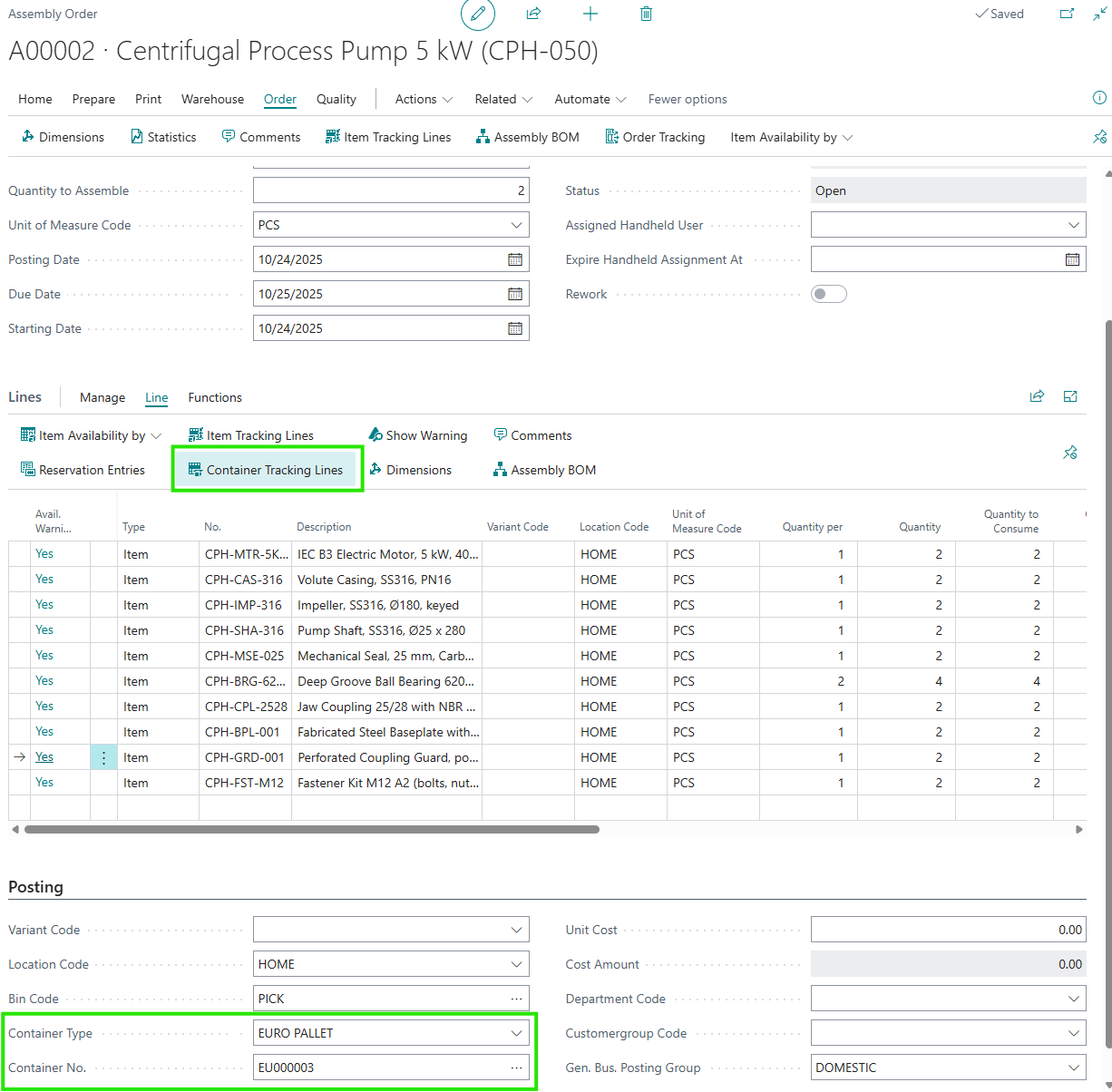
Output Container on the Assembly Order
On the “Assembly Order” screen, the output container fields are used to decide which container receives the finished item when the order is posted.
- Use Container Type to specify the type of container for the finished assembly output.
- Use Container No. to specify the container that the finished item will be posted into.
- If you select an existing container, it must be active and, where set, it must match the same location and bin as the assembly order.
- If the setup allows it, Container Type can be shown for users who need to see the output container type.
Note: These output container fields are only available when container tracking is required for the selected bin.
Assembly Lines
On the lines FastTab of the “Assembly Order” screen, users can work with container-related actions for the component lines.
- Select Container Tracking Lines on an assembly line to review or maintain the line’s container tracking.
- Select Container to review item availability by container for the selected assembly line.
- If the quantity to consume changes on a line that already has container tracking entries, the app adjusts the quantities on those entries so they stay aligned with the line quantity.