Stock reclassification journals allow you to move inventory between different classification dimensions such as location, bin, lot number, or serial number without changing the physical item itself. In Clever WMS Containers, the "Item Reclass. Journal" and "Whse. Reclass. Journal" support container-aware reclassification so you can track which containers items move between.
Item Reclass Journal with Containers
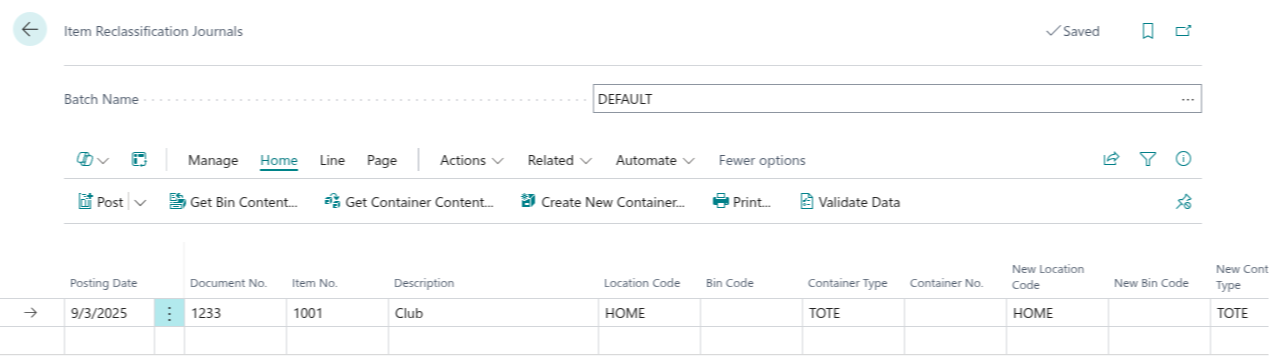
The standard "Item Reclass. Journal" can track container movements when the item and location are set up for container tracking.
- The journal uses Container No. to identify the source container for the item being reclassified.
- The New Container No. field specifies the destination container.
- If container content is being consolidated or split, both containers are tracked in the reclassification ledger.
- The journal validates that containers exist and are active before posting.
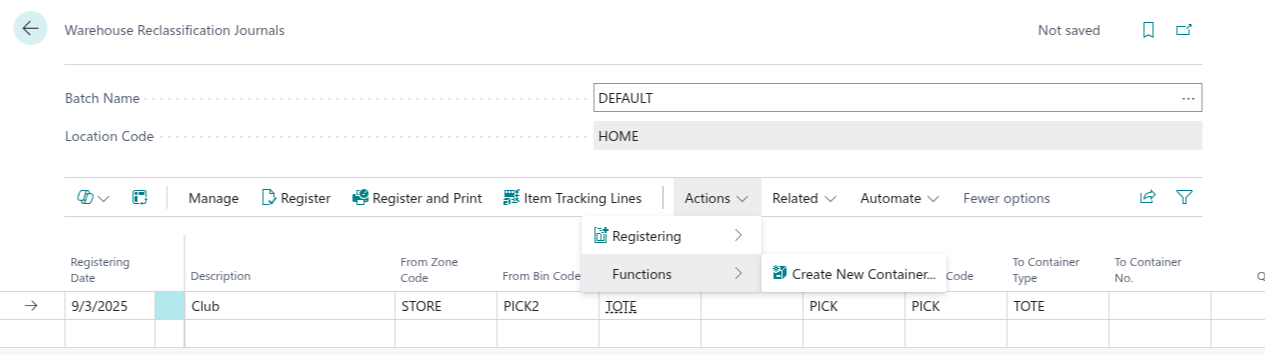
Warehouse Reclassification Journal for Directed Pick Locations
The "Whse. Reclass. Journal" is the appropriate method for reclassification when the location is set up with directed put-away and pick.
This journal respects warehouse bin and zone assignments while tracking container movements, making it the preferred choice for warehouse-managed locations.
- Container fields are available when the item and warehouse location require container tracking.
- The bin assignment in the reclassification must comply with warehouse zone and class rules.
- Container movement is recorded alongside the warehouse-level bin change.
- The journal prevents moves that violate warehouse management rules.
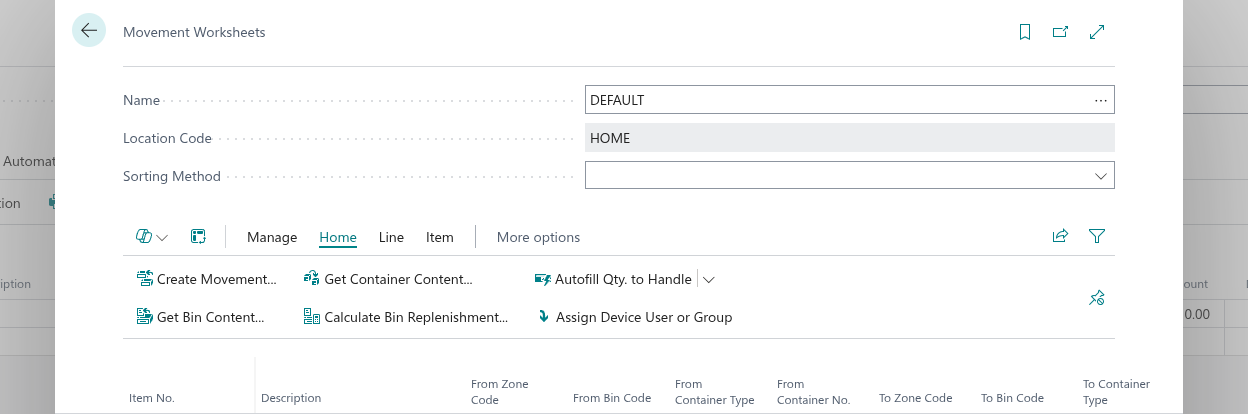
Warehouse Movements for Container Movement in Directed Pick
In addition to reclassification journals, warehouse movements can be used to move items between containers and bins in warehouse-managed locations.
Warehouse movements are specialised operations for directed put-away and pick locations that respect warehouse bin and zone rules. They support full container-level tracking, allowing you to move items from one container to another while respecting warehouse management constraints.
- Use the "Movement" worksheet to move items between containers and bins in warehouse-managed locations.
- From Container No. - identifies the source container items are being taken from.
- To Container No. - specifies the destination container items are being placed into (can be the same or different container).
- Warehouse movements enforce warehouse rules and are preferred when complex bin/zone rules apply.
- Use Get Container Content to quickly populate movement lines from a container's contents.
Reclassifying Between Containers
You can use either reclassification journal to move items from one container to another.
- Item Reclass. Journal: Enter the source From Container No. and the destination New Container No. on the journal line.
- Whse. Reclass. Journal: Enter the source From Container No. and the destination To Container No. on the journal line.
The application validates both containers are active and the item content matches. This is useful for consolidating partial container contents or splitting a container into separate containers for different destinations.
Reclassifying Within the Same Container
You can also use reclassification to change lot, serial number, or other attributes while keeping the item in the same container.
- Item Reclass. Journal: Both From Container No. and New Container No. reference the same container, but other fields such as lot number or serial number are updated.
- Whse. Reclass. Journal: Both From Container No. and To Container No. reference the same container, but other fields such as lot number or serial number are updated.
This preserves the container context while updating item classification without moving items to a different physical container.
Using Get Container Content in Item Reclass Journal
The "Item Reclass. Journal" supports the Get Container Content action to bulk-populate lines based on a container's contents.
When you use this action, the journal creates a reclassification line for each distinct content in the source container. You can then modify the destination container, location, or other attributes as needed before posting.
Note: The Get Container Content action is not available in the Warehouse Reclass. Journal. For warehouse-managed locations, use the Item Reclass. Journal with the Get Container Content action, or manually create lines in the Whse. Reclass. Journal.
Validation and Consistency
The reclassification journals apply consistency checks to ensure valid container movements.
- Both source and destination containers must be active.
- The item, unit of measure, lot, and serial number must be consistent across the reclassification.
- Container locations and bins must be valid and match warehouse rules where applicable.
- The reclassification cannot be posted if containers are locked or scheduled for other operations.
Posting Result
When a reclassification journal is posted, the container movement is recorded in the ledger along with the item reclassification.
- Item ledger entries are created showing the source and destination containers.
- Container movement is tracked in container history.
- The reclassified item is now associated with the new container and any updated classification attributes.
- For warehouse journals, the bin and zone change is also recorded.