Clever WMS Android App uses Android Intent Service that listens for broadcasts from DataWedge (using the configured intent action). The service parses scan results and raises internal events for processing.
The following configuration must be applied to the DataWedge profile associated with our application.
1) Barcode input
Path: Barcode input →Configure scanner settings → Scan params
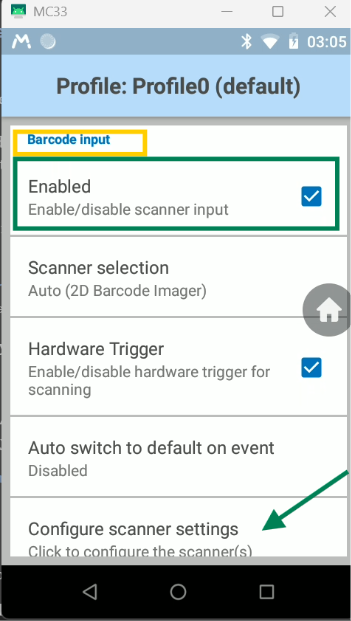
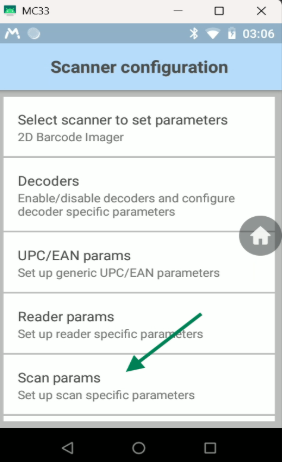
Parameter: Code ID Type:
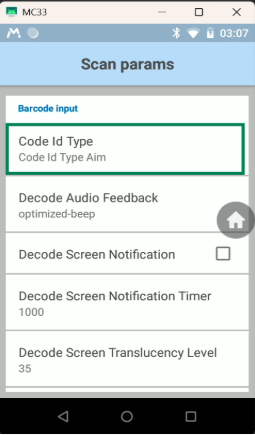
Value: AIM
This ensures that the AIM Code ID is included in the scanned data, allowing the app to identify the barcode symbology.
Intent Output Settings:
| Settings | Value |
| Path | Intent output |
| Enable Intent output | Enabled |
| Intent Action | com.zebra.datawedge.scan |
| Intent Delivery | Broadcast Intent |
2) Intent Output
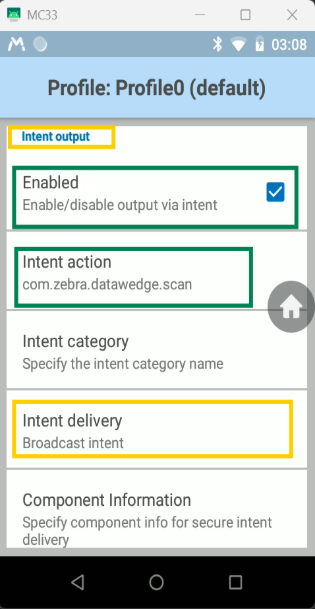
This instructs DataWedge to broadcast each scan result to the application using the specified Intent Action.
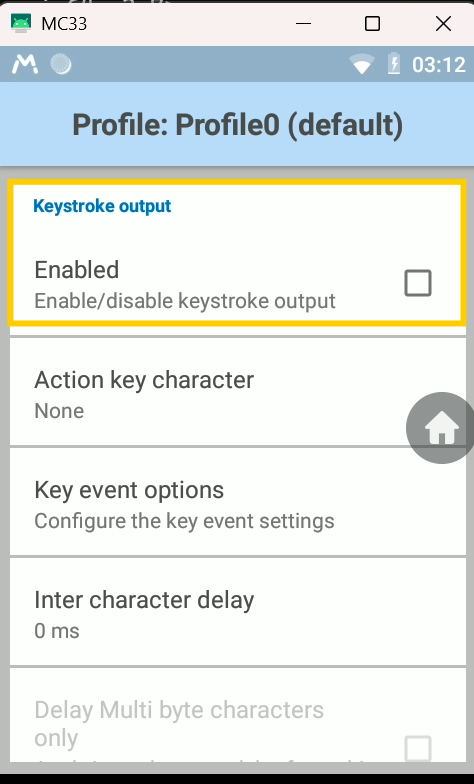
3)Keystroke Output
This should be disabled in order to avoid duplicate scan data.
Note: Our application (for Zebra device) reviews the user-defined configurations for the active profile and provides guidance if any settings are improperly configured.