Using Containers in Production
Use containers in production processing to control which container receives finished output, review container availability for production lines and components, and manage container detail in output and consumption journals.
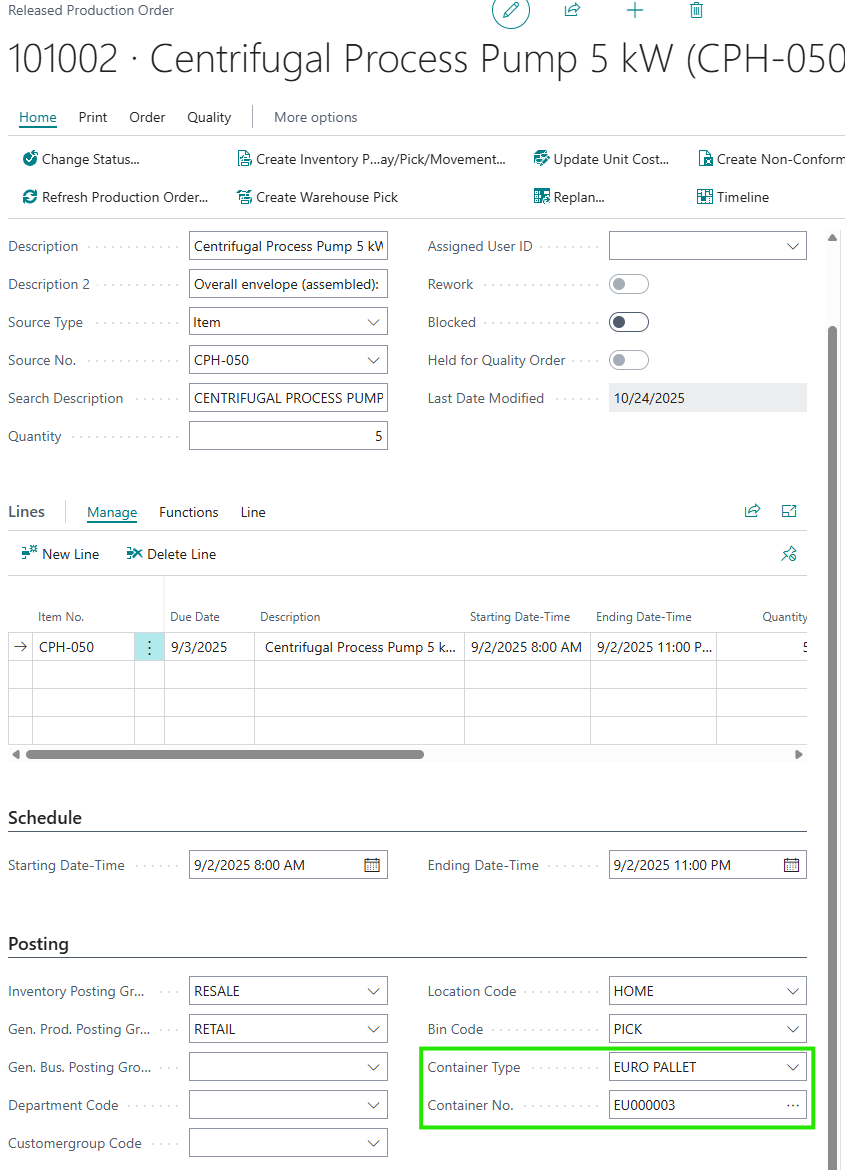
- The “Planned Production Order”, “Firm Planned Prod. Order”, and “Released Production Order” screens include output container fields.
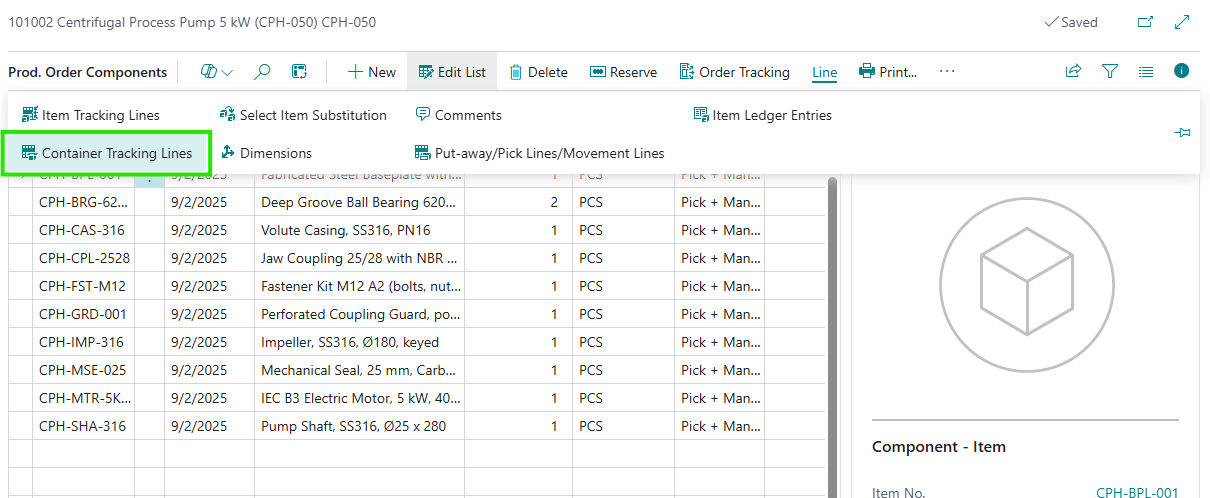
- The “Prod. Order Components” screen includes Container Tracking Lines and Container actions for component consumption.
- The “Output Journal” and “Consumption Journal” screens include container fields for production posting.
- The “Released Production Order” and “Finished Production Order” screens include a Container Entries action.
Output Container on Production Orders
Production orders can hold the output container information that will be used for the finished item.
- Use Container Type to specify the type of container for the finished output.
- Use Container No. to specify the container that the produced item will be posted into.
- If you select an existing container, it must be active and it cannot be blocked for production output.
- If a container is already assigned on the production order, that value is carried onto the related production order line and into output journal lines.
Note: These output container fields are only editable when container tracking is required for the selected location and bin.
Production Components
Container tracking for production consumption is managed from the production components.
- On the “Prod. Order Components” screen, select Container Tracking Lines to review or maintain tracking for the component line.
- On the “Prod. Order Components” screen, select Container from Item Availability by to review item availability by container for the selected component.
- Where container tracking entries exist for a component, the app can split consumption journal lines by container so each container’s quantity is posted separately.
Production Journals
The production journals include container fields so users can review or post production activity with the correct container detail.
- The “Output Journal” screen includes Container Type and Container No. for the finished output.
- The “Consumption Journal” screen includes Container Type and Container No. for material consumption.
- For output, the container from the released production order line is copied into the journal line.
- For consumption, if a component is being consumed from more than one tracked container, the journal can be split into separate lines by container.
Container Entries
After production activity has been processed, you can review the related container history from the production order.
- Use Container Entries on the “Released Production Order” screen to review related container entries.
- Use Container Entries on the “Finished Production Order” screen to review container entries after completion.
- You can also use the Container item availability view from production order lines to review current and projected quantities by container.