In Clever WMS Version 7, the application used embedded (baked-in) scanner SDK libraries provided by hardware vendors. These SDKs typically required little to no pre-configuration and worked out of the box for supported devices.
Later in the Version 7 lifecycle, support for Android Intents was introduced as an optional alternative. Users needed to explicitly opt into this configuration. The Intent-based approach offered several advantages:
-
Broader barcode symbology support
-
Access to additional scanner features
-
Reduced dependency on vendor SDK updates
-
No requirement to rebuild the application when new scanner models or SDK versions were released
In Clever WMS Version 8, vendor SDKs were removed entirely (no longer recommended by vendors) and Android Intents became the only supported integration method.
While the Intent-based approach is flexible and future-proof, it requires correct device configuration. This has lead to more support issues where devices are not always set up properly to use Android Intents within the vendor services, making configuration knowledge increasingly important for successful deployment and support.
Understanding Scan Failures
A failed scan can result from multiple factors, including:
-
Scanner configuration issues
-
Incorrect barcode symbology settings
-
Poor barcode quality or rendering
-
Invalid or unexpected barcode data
-
Application-level processing errors
Issues related to scanner configuration and barcode symbology often require experienced consultants to diagnose and resolve.
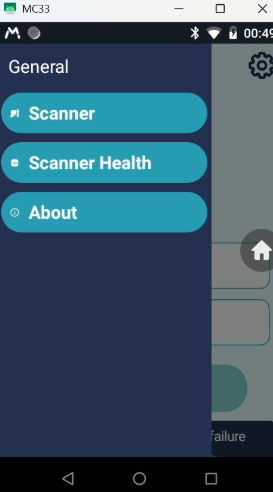
To simplify troubleshooting, the new Scanner Health Tool was introduced. This tool helps quickly determine:
-
Whether the scanner service has been properly initialized
-
Whether the Clever application is correctly configured to receive barcode scan notifications
-
Whether key scanner settings are misconfigured
By providing immediate visibility into the scanner’s configuration state, the Scanner Health Tool enables faster diagnosis and resolution of configuration issues, reducing troubleshooting time and improving support efficiency. Without this tool, we would need to request screenshots from the device profile, which can be difficult to obtain, as they must be captured from the correct profile and include all relevant settings. These screenshots must then be validated and require the end user to implement the necessary adjustments correctly.
It is recommended to first verify that the scanner is correctly configured and successfully claimed using the Scanner Health Tool before proceeding to the Scanner Diagnostic Tool, which is used to analyse and report on how barcode data is received and parsed by the application.
Overview
The scanner service provides a unified barcode scanning experience across supported Android enterprise devices such as Honeywell and Zebra. Device-specific scanner behavior is abstracted, so the application behaves consistently regardless of hardware vendor.
Supported Devices
-
Zebra enterprise handheld devices
-
Honeywell enterprise handheld devices
-
Camera-based scanning is outside the scope of this service.