The "OTIF Performance" report measures your delivery performance against the baselines captured when Orders were first released. It reports on Sales, Purchases and Transfers in a single run, each in its own section, with a line level breakdown followed by summary percentages.
To run the report, choose the search icon, enter "OTIF Performance", and then choose the related link.
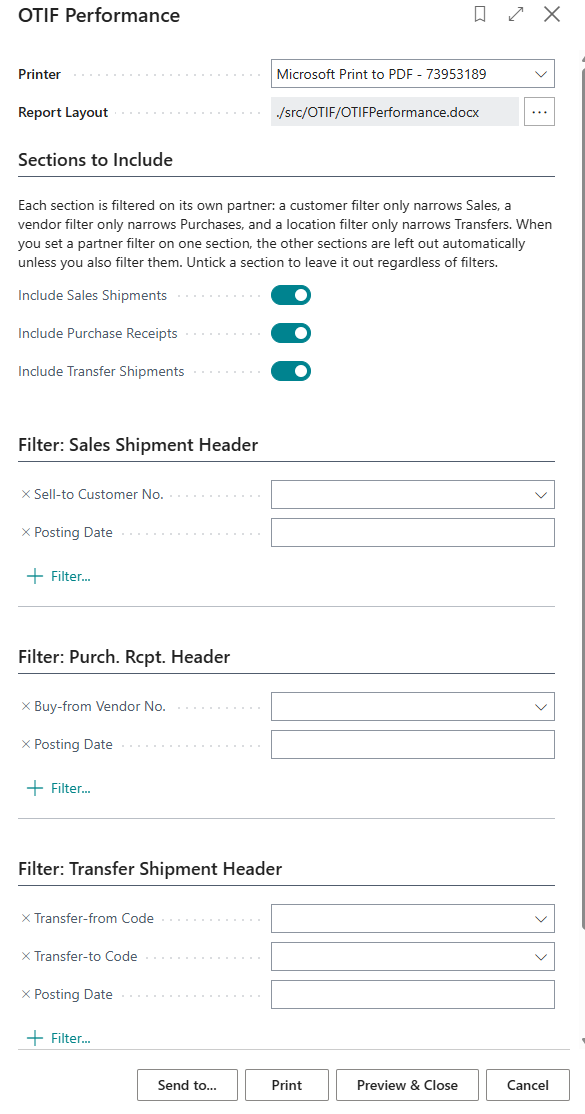
Filters
The report is driven from the posted documents, so the filters are applied to the posted Shipments, Receipts and Transfer Shipments.
| Sell-to Customer No. and Posting Date | Filters the Sales section, which is based on Posted Sales Shipments. |
| Buy-from Vendor No. and Posting Date | Filters the Purchase section, which is based on Posted Purchase Receipts. |
| Posting Date | Filters the Transfer section, which is based on Posted Transfer Shipments. |
Note: only documents that carry a captured baseline date are included. Documents posted before OTIF capture was enabled, and documents for trading partners that do not have Record OTIF switched on, are skipped.
Report content
Each section lists one row per Order line, with the following information.
| Order No. and Order Line No. | The Order and line that the delivery relates to. |
| Item No. and Description | The Item that was delivered. |
| Partner No. and Partner Name | The Customer, Vendor or Location that the delivery relates to. |
| Ordered Qty. | The quantity originally entered on the Order line, taken from the Input Log. |
| Delivered Qty. | The total quantity actually delivered, aggregated across all partial deliveries for the line. |
| Baseline Date | The date captured when the Order was first released, which the delivery is measured against. |
| Completion Date | The posting date of the last delivery against the line. |
| On Time | Yes when the Completion Date is on or before the Baseline Date. |
| In Full | Yes when the Delivered Qty. is at least the Ordered Qty. |
| OTIF | Yes only when both On Time and In Full are Yes. |
Totals
Each section finishes with a summary showing the total number of lines, the number that were On Time, In Full and OTIF, and each of those three expressed as a percentage of the total.
Note: partial deliveries are aggregated up to a single assessment per Order line, so a line shipped in three tranches counts once. The Completion Date used is the latest posting date across those tranches, which means a line that is delivered late on its final tranche is not counted as on time even if the earlier tranches were.
Because the report is laid out with a Word layout, you can create your own layout if you want to add branding, change the grouping, or restrict the report to a single section.