Sales Order Status Indicators give you an at-a-glance view of how far through its lifecycle a Sales Order has progressed, without having to open the lines, the warehouse documents or the posted documents.
Up to eight separate stages are tracked, and each is shown as a coloured indicator in an Order Status factbox on the "Sales Order" and "Sales Order List" screens.
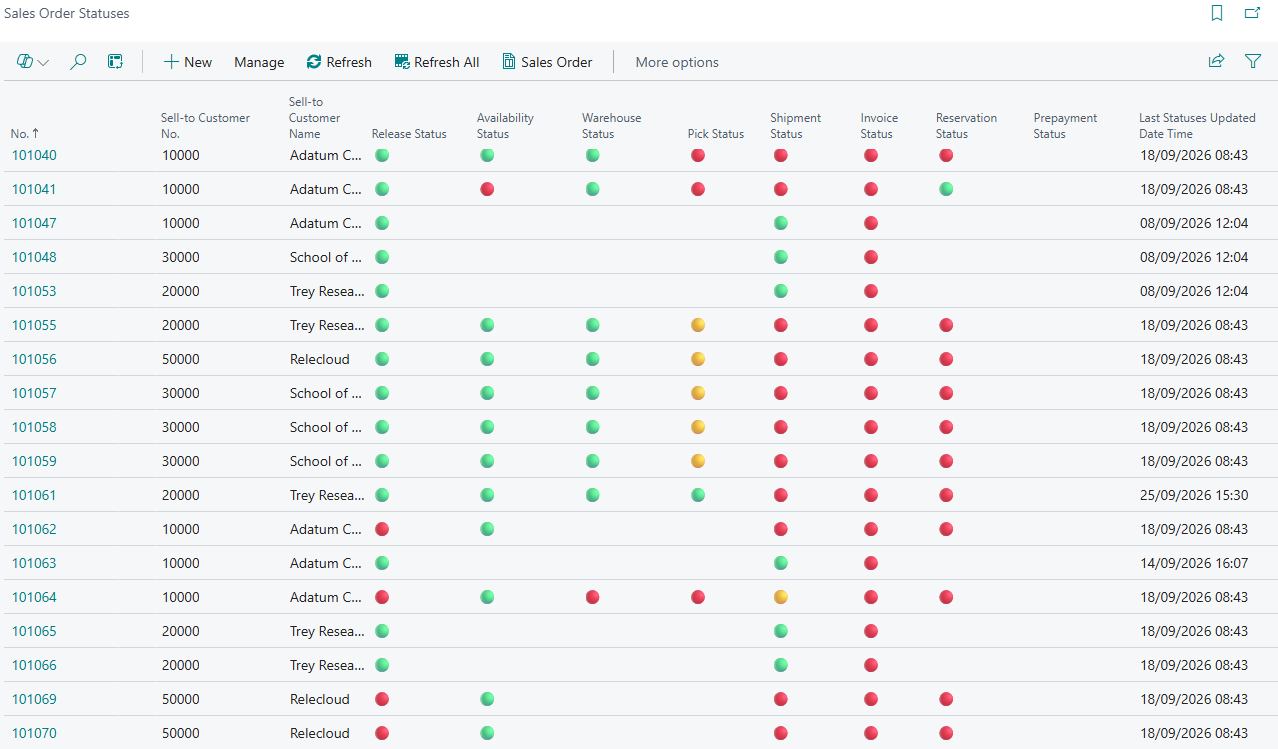
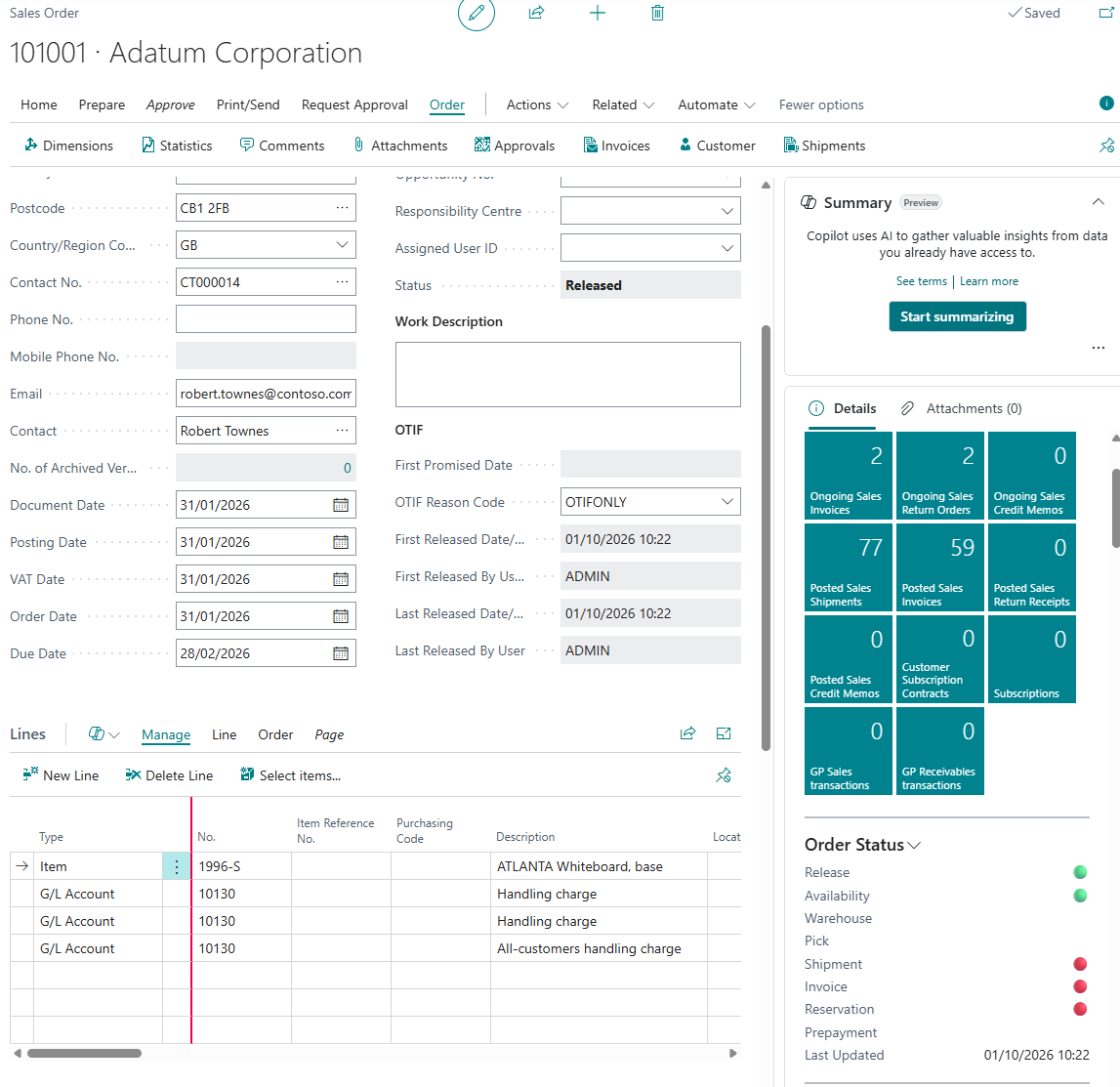
The stages that are available are:
-
Release
-
Availability
-
Warehouse
-
Pick
-
Shipment
-
Invoice
-
Reservation
-
Prepayment
Each stage is switched on or off individually, so you only see the indicators that are relevant to the way your business operates. See Setup for details, and Guide for how each indicator is calculated.
Note: the Order Status factbox is hidden entirely until at least one status indicator has been enabled in the "Sales & Receivables Setup".