Posted Components lists the consumption posted for the production order
Posted Outputs lists the output posted for the production order
For each entry you can see what was posted, when, and the quantity. Lot, serial and container details are shown where the entry has them.
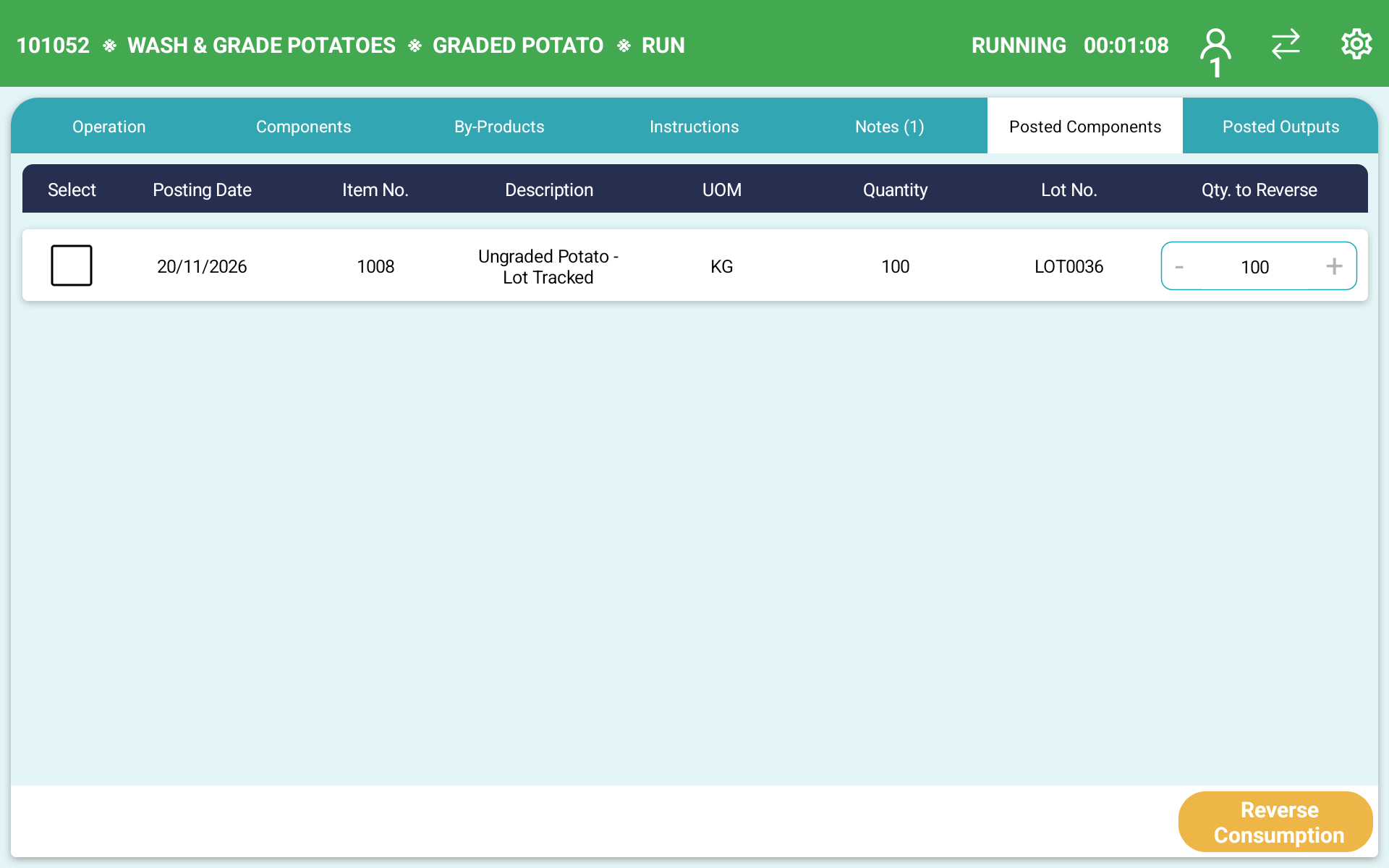
Reverse an entry
Open the Posted Components or Posted Outputs tab
Select the entry to reverse
Enter the Qty. to Reverse
Tap Reverse Consumption or Reverse Output
Reversing posts a matching negative entry for the quantity you reverse. The original entry stays on record, so there's always an audit trail. Understanding the operation lifecycle
You can only reverse up to the quantity that was posted. If you enter more, you'll see You cannot reverse more than X units. You can't reverse an entry that is itself a negative consumption: Entry cannot be reversed because it is a negative consumption.
When to use it
You posted the wrong quantity. Reverse it and post the right one
You posted against the wrong lot or serial number. Reverse it and post again with the right details
Consumption was posted twice
For anything the tablet doesn't let you fix, speak to your supervisor, who can correct it in Business Central.