| Item is tracked by | You're asked for |
| Lot |
The Output Lot No. |
| Serial number |
The Output Serial No. |
| Container |
The Output Container No. |
Depending on the item, you may also be asked for an expiration date and a warranty date.
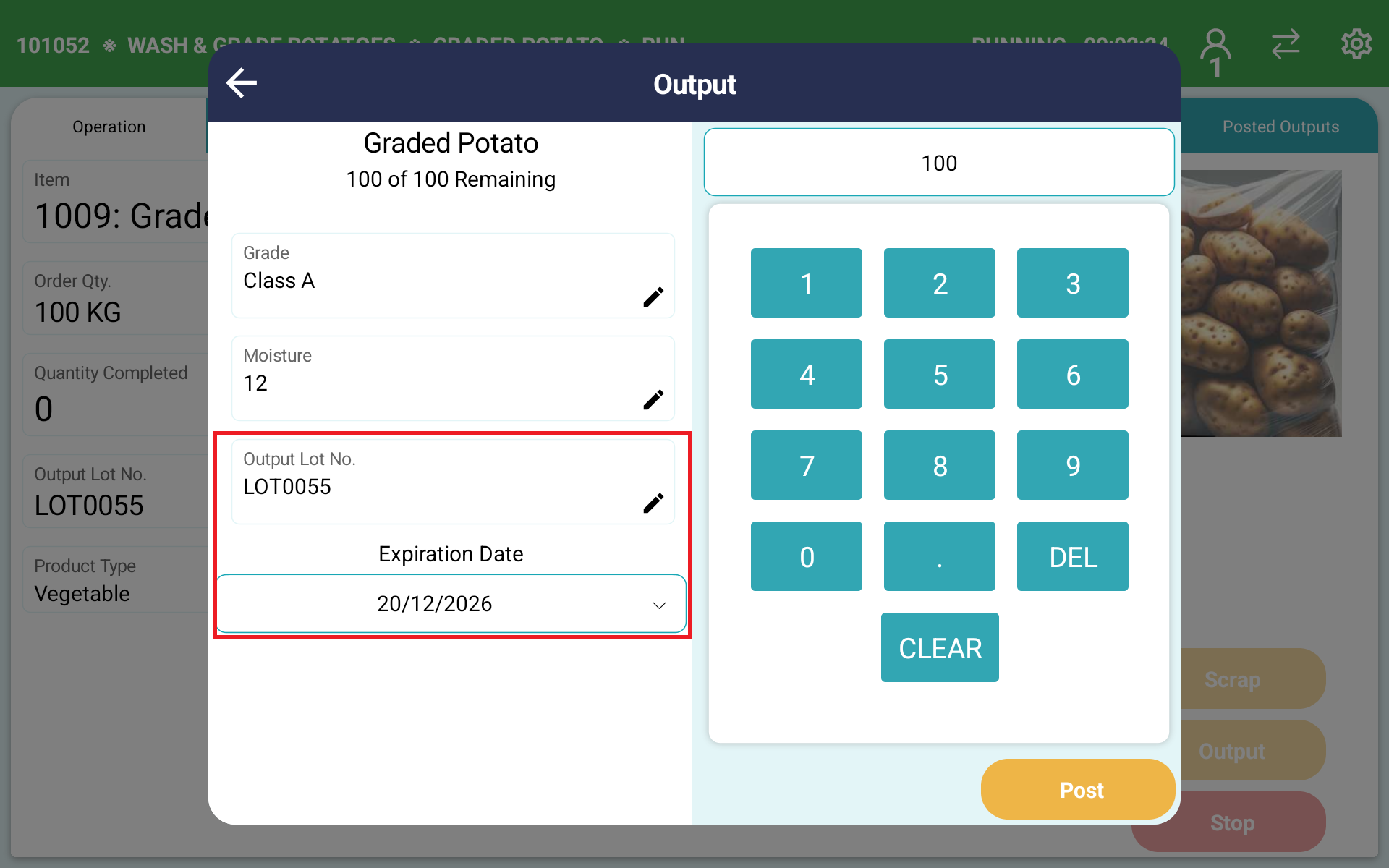
An example showing an Item that needs Lot No. and Expiration Date tracking information is shown below.
Lots
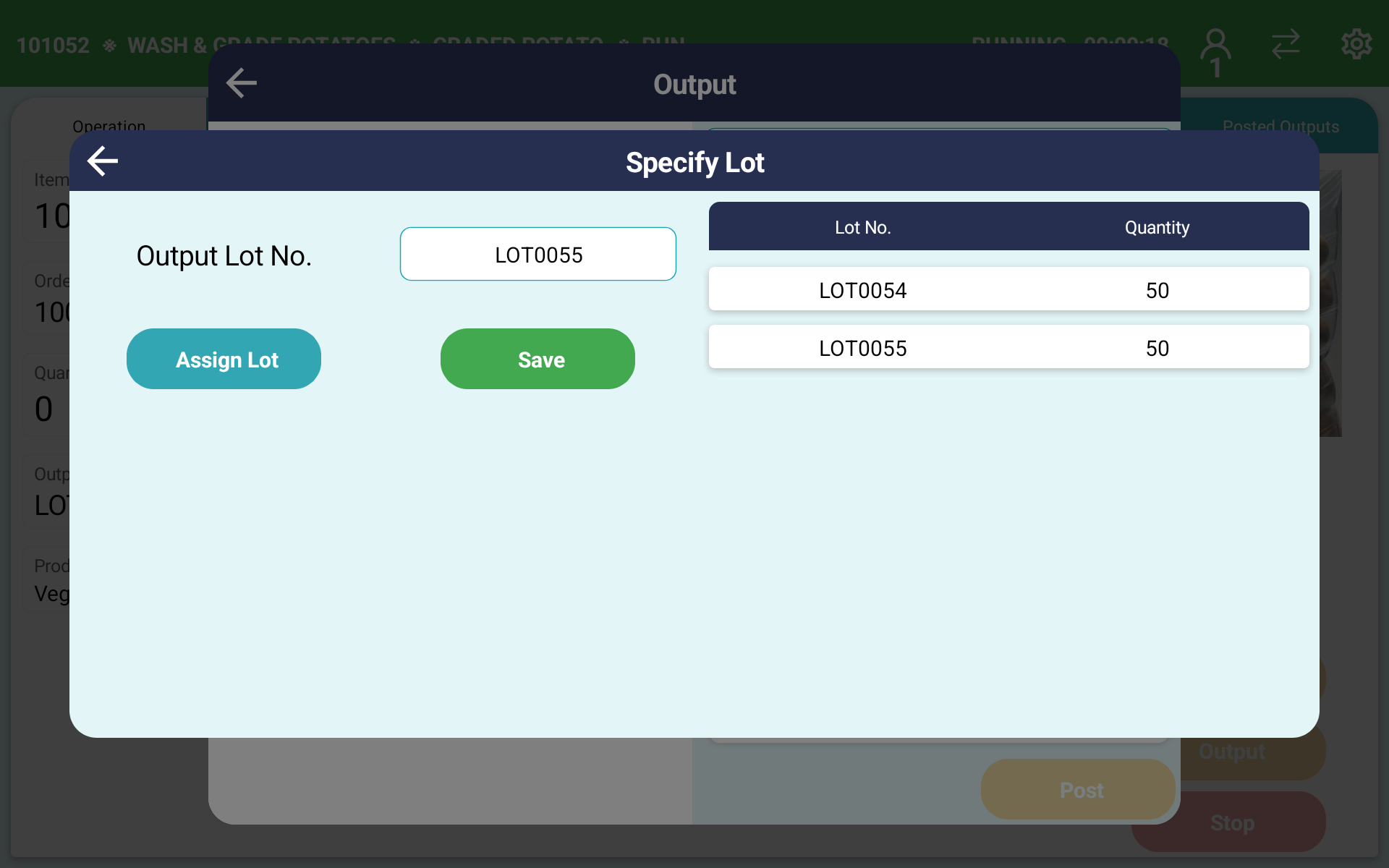
The Lot No. can be inputted in a variety of ways. You can manually enter the lot number, or assign a lot using the option on the screen which will select the next available Lot No. from the Item's Lot No. Series. Alternatively the system also tracks any Lot Nos. which have already been used on the Production Order for this Item and will show the list of Lots available, which you can simply select from. Press Save once complete.
Serial numbers
If the item uses a number series for serial numbers, the Output Serial No. field shows either AUTO or the actual next serial number that will be used. Which one you see depends on whether Preview Output SN Series No. is turned on in the “MES Setup” screen. Otherwise, enter the serial numbers yourself. The appearance of the screen is the same to that shown above for Lot Nos. and will in fact contain Lot No. and Container No. information if necessary.
Containers
Container tracking needs Clever WMS Containers. Enter or assign the Output Container No. The appearance of the screen is the same to that shown above for Lot Nos. and will in fact contain Lot No. and Serial No. information if necessary.
Attributes
Some items need extra information when output is posted, such as a measured value or a grade. If so, you'll be asked to select or enter it during the output process. If it's missing and is mandatory then you will not be able to post output.
Tracking materials used (components)
On the Components tab, tracked components have columns for the Lot No., Serial No. and Container No., depending on the component.
Tap Lot Lookup, Serial Lookup or Container Lookup to choose from what's available, or enter the value manually
If a value is missing when you post, you'll see Lot No. required., Serial No. required. or Container No. required
Your administrator decides how tracking is filled in for components, for example by pre-filling a lot when only one is available, or splitting a quantity across several lots. Post components
Container messages
If you enter a container that doesn't exist, you'll see Container X not found. If it isn't in the bin you're posting from, you'll see Container X not in bin Y.
Messages you might see
| Message | What to do |
|
Please specify tracking details |
Enter the lot, serial or container details |
|
Please select a tracking value |
Pick one from the lookup |
|
Invalid Date: X. Existing X of Y |
The date conflicts with an existing lot or serial. Check it |
|
No tracking values available for this component |
Nothing in stock is tracked for it. Check with your supervisor |