The first time the operation is started, Business Central sets its Actual Start Date-Time, and (if setup in "MES Setup") moves the operation to In Progress
Starting again after a stop
If the Workspace was stopped, Start asks you to confirm the reason it was stopped (Please confirm the Stop reason code) which is your chance to correct the stop reason if the wrong one was chosen in the first instance. Once you confirm, the stopped time is recorded against that reason and the operation is running again.
Stop
Tap Stop while running. You choose a reason from a list, and the Workspace becomes Stopped.
Stop reasons fall into groups.
Planned: expected stops, such as a scheduled break or planned maintenance
Unplanned: faults, shortages and other interruptions. These are what supervisors analyse. Analyse stop time
Reserved: the three special reasons set up in the “MES Setup” screen for finishing an operation, finishing setup, or ending a shift
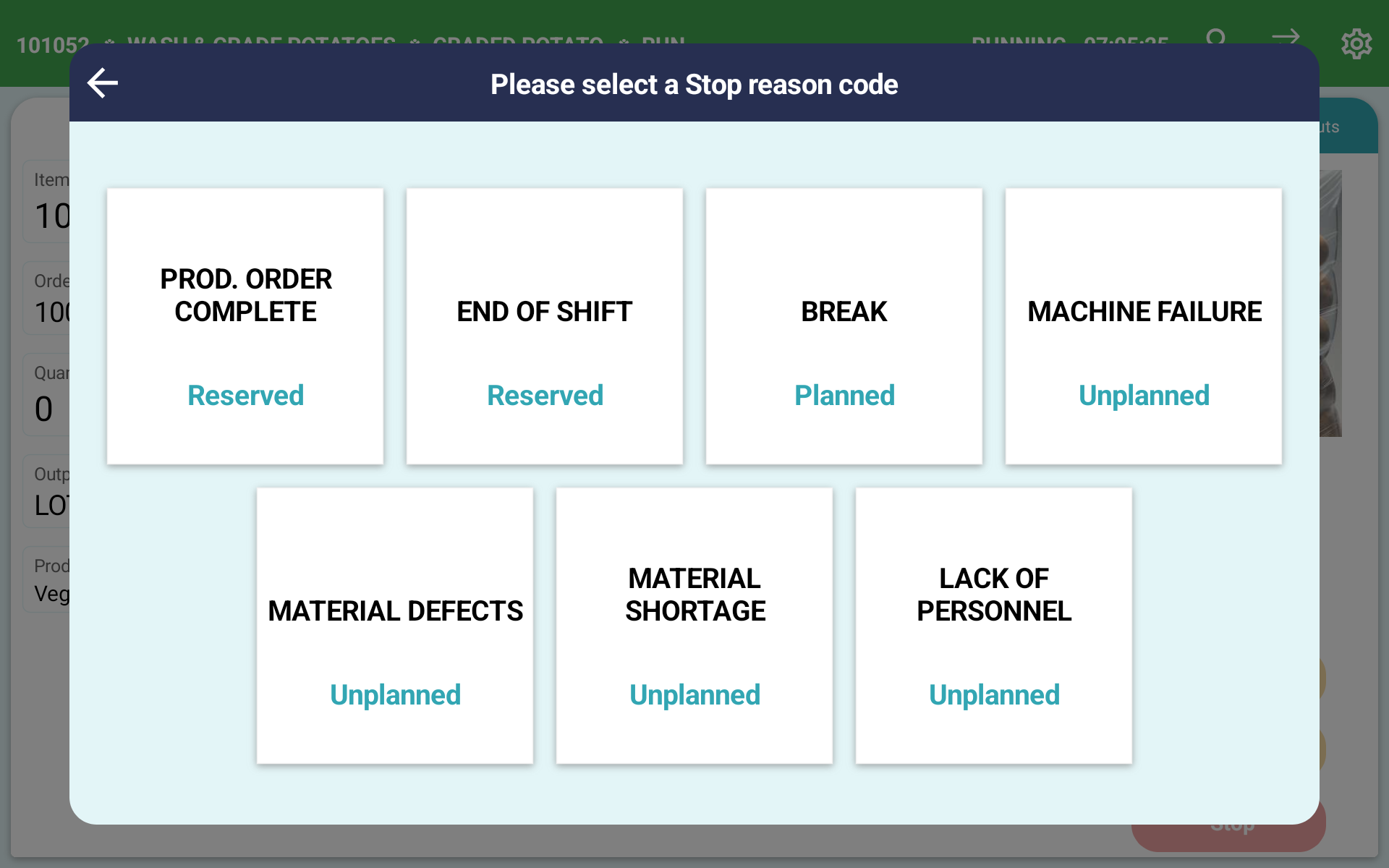
The special stop reasons
| Reason | Use it when |
| Prod. Order Complete |
The operation is finished. Business Central marks the routing line complete. If it was the last open operation on the order, the order itself counts as complete |
| Setup Complete |
Setup is done and the run is about to begin |
| End of Shift |
You're stopping for the day, but the job isn't finished |
Choosing Prod. Order Complete or End of Shift also clears the information (Production Order Operation and Operator) from the Workspace, so the next person is asked to sign in and choose a job.
Your administrator sets which stop reasons are used for these in the “MES Setup” screen.
What's recorded
Stopping logs the stop with your reason, posts the time as capacity (if your settings post Workspace time) and records the operator, Workspace and Terminal in the “MES Workspace Log” screen. If your administrator has turned on Set Finish on Complete, a Prod. Order Complete stop also sets the routing line to Finished.
Exit
While the Workspace is Stopped, you can tap Exit to leave the operation. You choose an exit reason, and the Workspace is cleared so you can pick another job.
Exit also posts any stop time that hasn't been recorded yet.
Good habits
Choose the real reason, even if it feels awkward. Supervisors can only fix what they can see
Stop with Prod. Order Complete as soon as the job is finished, so the order moves on to its next operation
Use End of Shift when you're leaving a job part-done, so the next shift starts clean